16
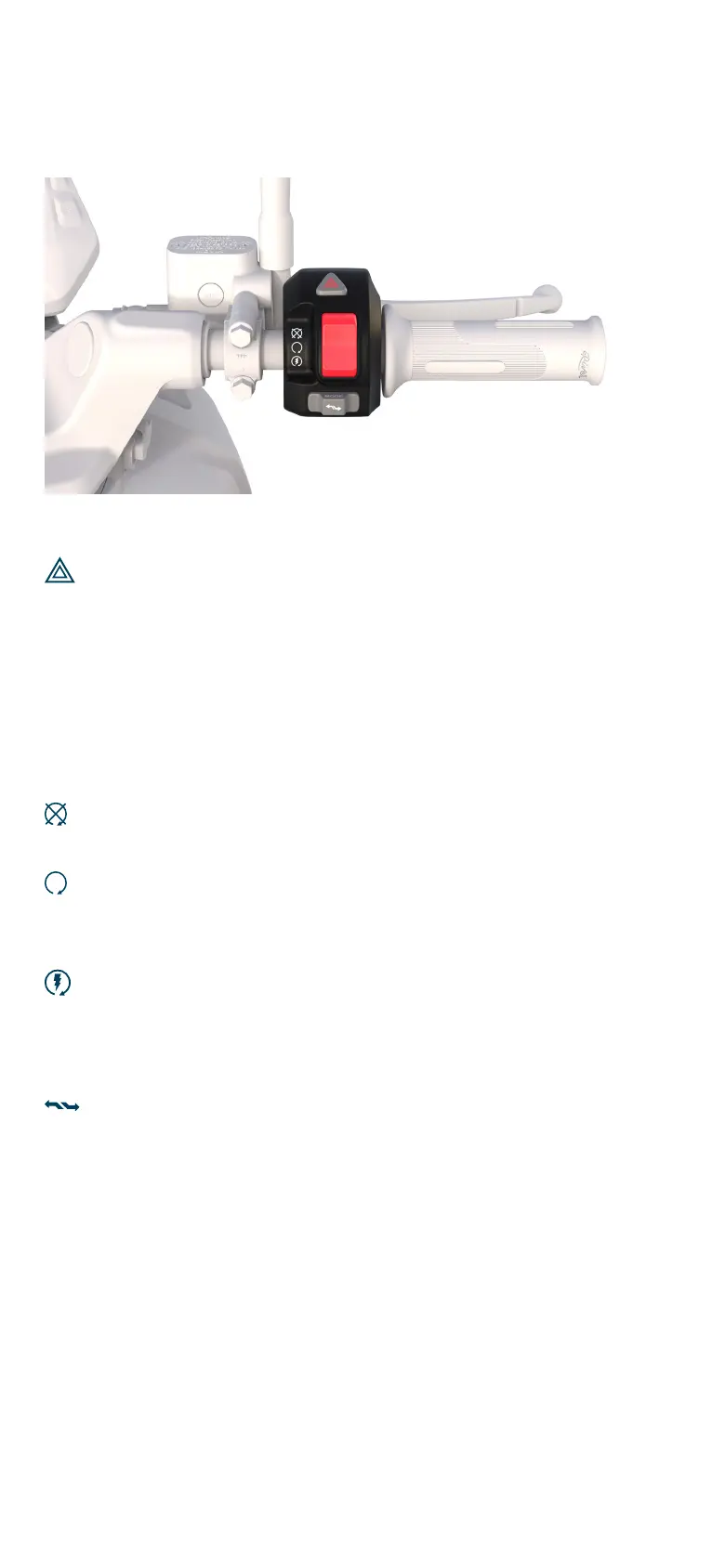
Hazard lights button
Press the Hazard Lights button to make all the blinkers flash
continuously to indicate a hazard. Press again to disengage.
Note: Engaging the hazard lights overrides the operation of
the blinker switch.
Start/Kill switch
Kill ON
Press to disengage the motor.
Kill OFF
This is the default position of the switch after
engaging Start.
Start (Retractable)
Press to switch the motor ON. The instrument cluster will
indicate that the scooter is Ready to Ride.
Mode Switch
Toggle left or right to switch between riding modes.
Go through the Functions during ride section to understand
the three modes (Eco, Ride and Rush).
Right Switchgear
River Indie User Manual | Know your Indie


 To Next Page