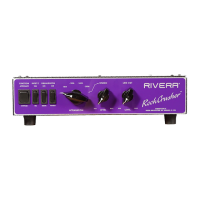
RockCrusher™ Owner’s Manual Version 1.0 Dec. 01, 2010
1. Set your amplifier to the correct impedance to match your intended speaker load impedance.
2. Set the RockCrusher to the same impedance as your amplifier.
3. Connect the Input of the RockCrusher to the speaker output of your amplifier with a 18 Gauge
Speaker Cable (recommended minimum is 16 Gauge or larger). Do not use shielded guitar
cables ever to connect amplifier outputs to RockCrusher inputs.
4. Connect the Speaker jacks of the RockCrusher to your speaker cabinets with a proper speaker
cable (see above). If you wish to use the RockCrusher as a Load Box, be sure the front panel
Function switch is set to Attenuator position.
5. Connect the Line Output to your recording or PA equipment.
6. If using as an Attenuator, start by selecting Bypass from the front panel Function switch.
7. Adjust the controls on your amplifier to the desired sound. Now select Attenuator from the
Function switch, and adjust the Attenuation Level and your amplifiers levels to obtain the
desired sound and output stage distortion.
8. If using as a Load Box, make sure the Function Switch is in the Attenuate position, and
monitor the signal coming out of your Line Outputs.
Usage Tips:
1. Vintage amplifiers that do not have master volumes can sound flubby when played at
maximum levels. Setting the levels for a small amount of output stage distortion can sound
much more pleasant, and result in less stress on the output stage itself.
2. When using an amp as a slave with the Load Box function, and sending the Line Output to
another amp, the EQ setting on the second amp can be radically different than the first amps
setting. Less accentuation on the high-frequency EQ of the second amp may be better.
3. Using a compressor or sustain effects pedal in between the Line Outputs of the RockCrusher
and the inputs of the recording or PA equipment will only pump amp noise and will not sound
good.
4. Use of delay effects such as echo or chorus between the Line Outputs of the RockCrusher and
the inputs of recording or PA equipment can bring some interesting effects, as well as “Wet”
the sound.
5. Using the Balanced Line Output will assist in reducing the possibility of hum-producing
ground loops between your amplifier and the recording or PA equipment.
6. Use of Parametric or Graphic Equalizers in between the Line Outputs of the RockCrusher
and the inputs of the recording or PA equipment can assist you in obtaining a closer
approximation of a live microphone and loudspeaker combination versus a direct sound. A
speaker is a mechanical filter of sorts, and the actual frequency response and distortion of the
speaker will act to color your sound. When you listen to a direct signal from the speaker
output of an amplifier, it contains all of the frequencies that would normally be filtered and
altered by your speakers. Most of the harshness that can be heard from the direct sound can be
favorably altered by judicious use of an external equalizer. A professional grade unit will give
the best results.
7. Make sure the RockCrusher ventilation is not blocked on the bottom and top.
Specifications
Rivera Amplification. Burbank, California, USA


 To Next Page
 Loading...