RockCrusher™ Owner’s Manual Version 1.0 Dec. 01, 2010
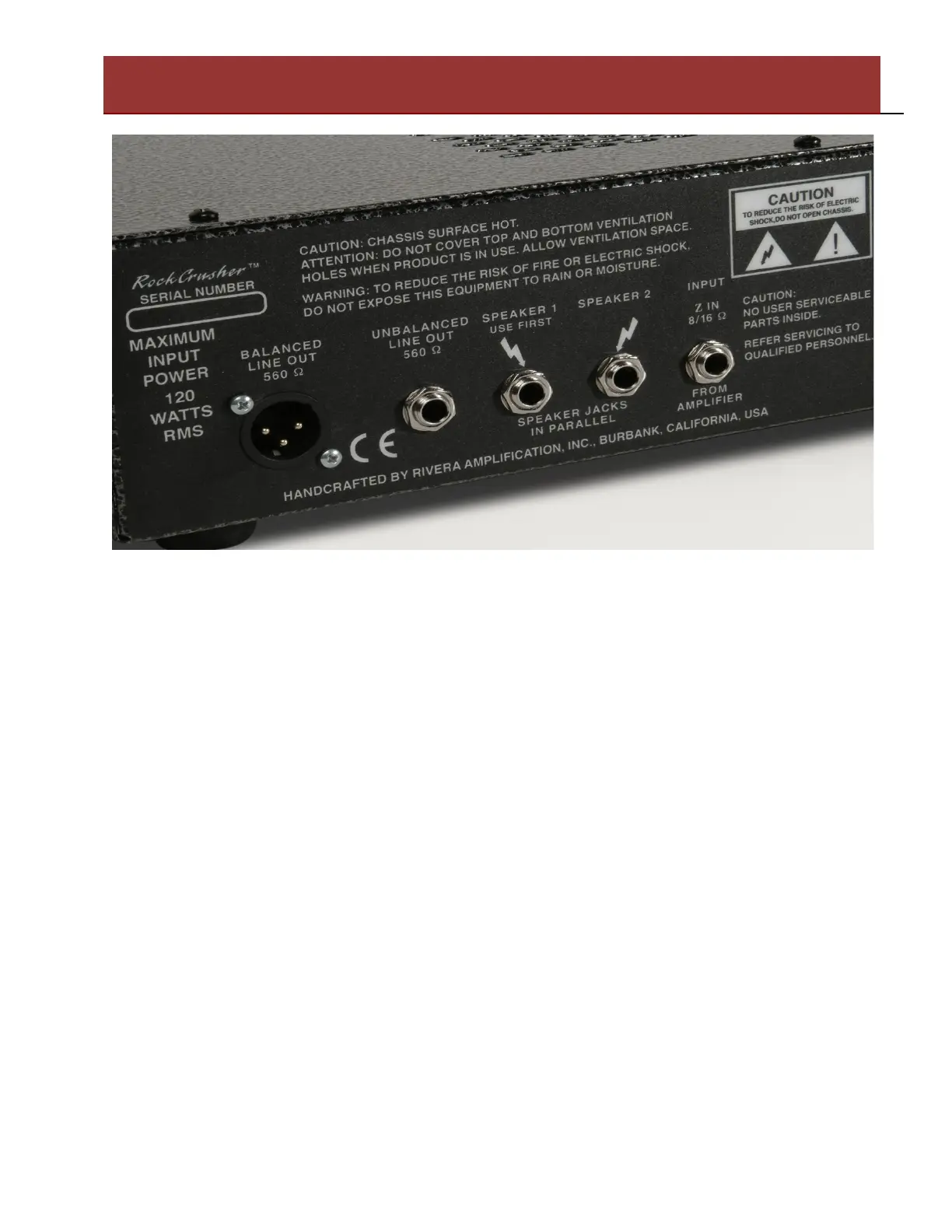
Input From Amplifier: Connect this jack to the output of your amplifier. Be sure to set the
impedance on your amplifier to match the the impedance of the RockCrusher Z Selector on the front
panel, as well as the speaker(s) connected to the Speaker jacks. Use only proper speaker cables.
Speaker Outputs: For connection to Speaker Cabinets. These jacks are connected in parallel.
Suitable for one 8 Ohm speaker cabinet, or one or two 16 Ohm Speaker Cabinets. Do not connect to
lower than a combined load of 8 Ohms maximum. Use Speaker 1 first when connecting speakers.
Use only proper speaker cables.
Unbalanced Line Out: For connection to any unbalanced input of recording or PA gear. It can also
be connected to a Power Amplifier in order to power additional cabinets. It is always live, and works
in either Bypass, Attenuation, or Load Box modes. Use a shielded cable for these connections.
Balanced Line Output: For connection to any balanced input of recording or PA gear. It can also be
connected to a power amplifier in order to power additional cabinets. It is always live, and works in
either Bypass, Attenuation, or Load Box modes. It is transformer coupled, and should be used for the
highest quality connection. Since the signals are floating from ground, it can also help alleviate
potential ground loops between the Amplifier and the recording or PA equipment. Use a quality XLR
2 conductor with braided shield cable for these connections.
Quick Start:
Rivera Amplification. Burbank, California, USA


 To Next Page
 Loading...