EasyManua.ls Logo

RKI Instruments Beacon 200 - User Manual

Default Icon
56 pages
Print Icon
To Next Page IconTo Next Page
Loading...
www.rkiinstruments.com
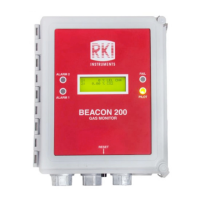
Beacon 200 Gas Monitor
Operators Manual
Part Number: 71-0059RK
Revision: F
Released: 3/31/16

Questions and Answers

  • E
    edgargarciaAug 2, 2025
    How to troubleshoot no power issue on RKI Instruments Beacon 200?
    • J
      jesus72Aug 3, 2025
      If your RKI Instruments Monitor has no power, here are a few things to check: * First, verify that the wiring to the power source is correct and secure. * Check the continuity of the AC or DC fuse, as one or both AC fuses or the DC fuse may be blown. * Also, verify that the display cable is properly connected.
  • A
    Amanda CruzAug 9, 2025
    What to do if RKI Instruments Monitor has frequent alarms?
    • K
      Kim QuinnAug 9, 2025
      If your RKI Instruments Monitor is experiencing frequent or suspect alarms: * Verify that the detector head wiring is properly shielded, as the device might be experiencing false readings due to RFI or EMI. * Ensure that the detector head wiring is correctly connected and secure, as a disconnection, misconnection, or intermittent connection could be the cause.
  • K
    Kevin MitchellAug 14, 2025
    Why is the display flickering on my RKI Instruments Beacon 200 Monitor?
    • C
      cherylthompsonAug 15, 2025
      A flickering display on your RKI Instruments Monitor could be due to several reasons: * The Beacon 200 might be experiencing false readings due to RFI or EMI. Verify that the detector head wiring is properly shielded. * The noise filter setting may be too low. Increase the noise filter setting in the Channel Control & Setup Program. * The zero suppression setting may be too low. Increase the zero suppression setting in the Channel Control & Setup Program.
  • S
    schmidtjosephAug 21, 2025
    What to do if the buzzer is not working on RKI Instruments Monitor?
    • K
      Kimberly RiversAug 21, 2025
      If the buzzer on your RKI Instruments Monitor isn't working, verify that the wiring to the BUZ- and BUZ+ terminals of the controller terminal strip is correct and secure. If the issue persists, further assistance is needed.
  • M
    morrisjessicaAug 27, 2025
    How to fix a reset switch that is not working on RKI Instruments Monitor?
    • A
      Anita ClarkAug 27, 2025
      If the reset switch on your RKI Instruments Monitor is not working, verify that the wiring to the RESET (2) terminals of the controller terminal strip is correct and secure. If the issue persists, further assistance is needed.

Summary

Chapter 1 Introduction

Beacon 200 Specifications

Chapter 3 Installation and Start Up

Mounting the Beacon 200 Gas Monitor

Provides step-by-step instructions for physically installing the monitor at a mounting site.

Starting Up the Beacon 200 Gas Monitor

Details the procedure to place the Beacon 200 into normal operation after installation.

Wiring the Beacon 200 Gas Monitor

Connecting the AC Power Source

Details the procedure for connecting the AC power source, including wire selection and circuit breaker requirements.

Connecting the DC Power Source

Explains how to connect a DC power source, including AC/DC priority and battery backup considerations.

Connecting RKI Detector Heads

Guides the connection of RKI detector heads, specifying wire types and terminal usage.

Chapter 4 Operation

Visual and Audible Alarm Indications

Lists visual and audible indications for Alarm 1, Alarm 2, Fail, and Low Battery conditions.

Alarm 1 Condition Details

Details the indications for Alarm 1 and provides steps for responding to it.

Alarm 2 Condition Details

Details the indications for Alarm 2 and provides steps for responding to it.

Fail Condition Details

Details the indications for a fail condition and suggests steps for responding to it.

Chapter 5 Channel Control and Setup

Configure Channel Settings Menu

Guides users through changing channel parameters like alarm levels, delays, and relay actions.

Chapter 6 Input Setup Program

Setting Up Channels and Detector Heads

Provides steps to configure detector head types, units, gas types, and full scale settings for channels.

Chapter 7 Maintenance

Calibration Program Procedures

Details the process for calibrating active channels using direct connect or 4-20 mA transmitter detector heads.

Calibrating 4-20 mA Detector Heads

Guides the calibration process for 4-20 mA transmitter detector heads.

Troubleshooting Guide

Troubleshooting Common Issues

Describes symptoms, causes, and recommended actions for common problems like no power or false alarms.

RKI Instruments Beacon 200 Specifications

General IconGeneral
Inputs4-20 mA
Power24 VDC
EnclosureNEMA 4X, IP66
Gas TypesCombustible, Oxygen, Toxic
Detection GasesLEL, O2, H2S, CO
DisplayLCD
Operating Temperature-4° to 122°F (-20° to 50°C)
AlarmsAudible and visual alarms
CertificationsATEX, IECEx
TypeFixed Point Gas Detector
RangeO2: 0-30% vol, H2S: 0-100 ppm, CO: 0-500 ppm, LEL: 0-100% LEL
ResolutionO2: 0.1% vol, H2S: 1 ppm, CO: 1 ppm, LEL: 1% LEL
Humidity Range0-99% RH (non-condensing)

Related product manuals