Power and recharging
Roadie 3 has an extended battery life that can tune-up to 150 strings on a single charge, and is
USB-C rechargeable. Though we strongly recommend using the charging cable included in the box,
you can use other compatible USB-C chargers. Here's an example of a
USB-C cable that is supported by Roadie.
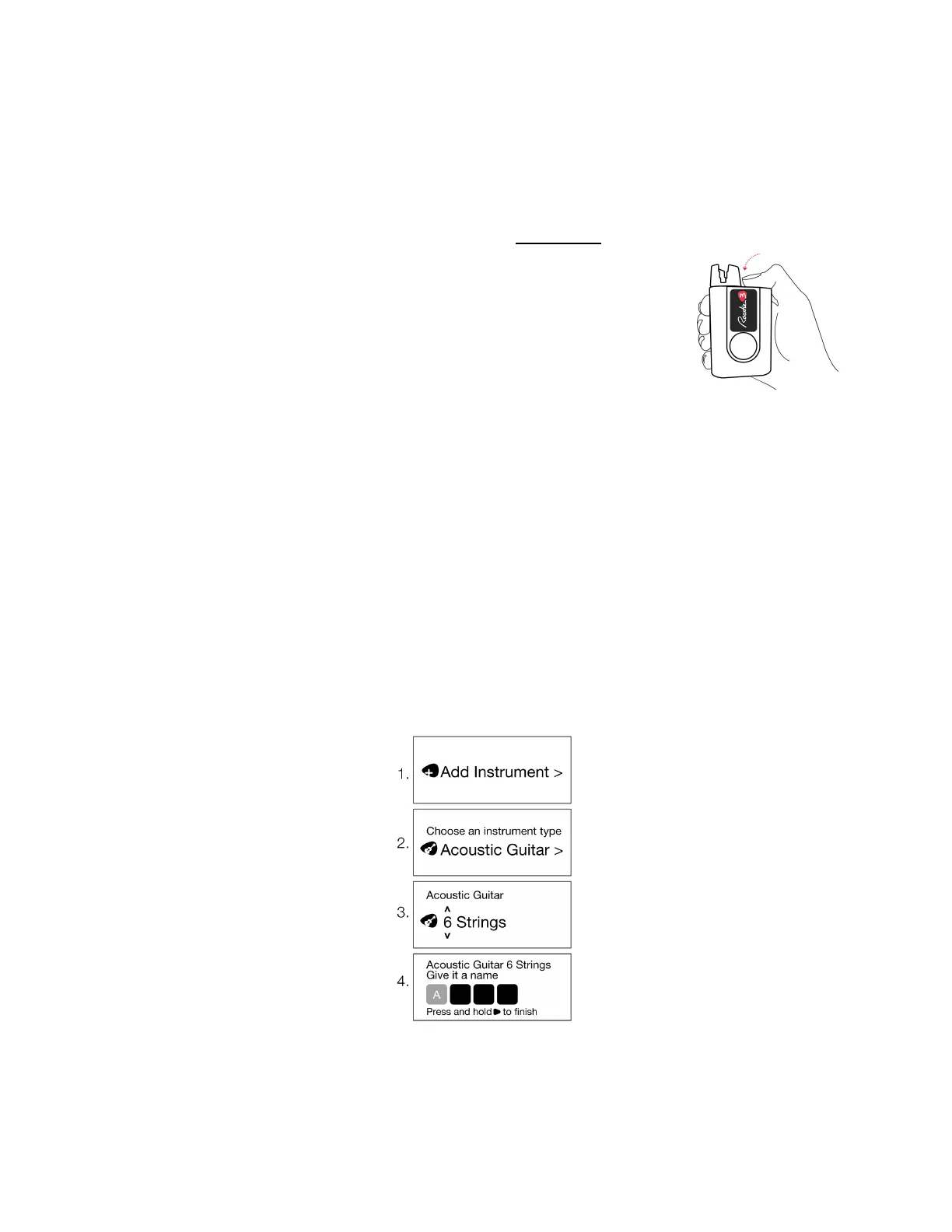
To turn Roadie on, simply press the power button at the top. To turn it off,
long-press the power button for 3 seconds.
Start using Roadie
STEP 1: Add an instrument
To tune your instrument, the first thing you will need to do is to create an instrument profile for it on
your Roadie 3.
● Turn on your Roadie by clicking the power button at the top
● Select Tuner > Add Instrument > Select your instrument type > Choose the number of
strings > Name your instrument > Press and hold the right navigation button to save
It is important that you create an instrument profile for each
of your guitars, even if they are
of the same type so that Roadie can learn about them and tune them better over time.



 To Next Page