How to tune with a capo on
If you would like to tune with a capo on, then we got you covered!
You can tell Roadie where you placed the capo so that all of your preset tunings will still work
perfectly.
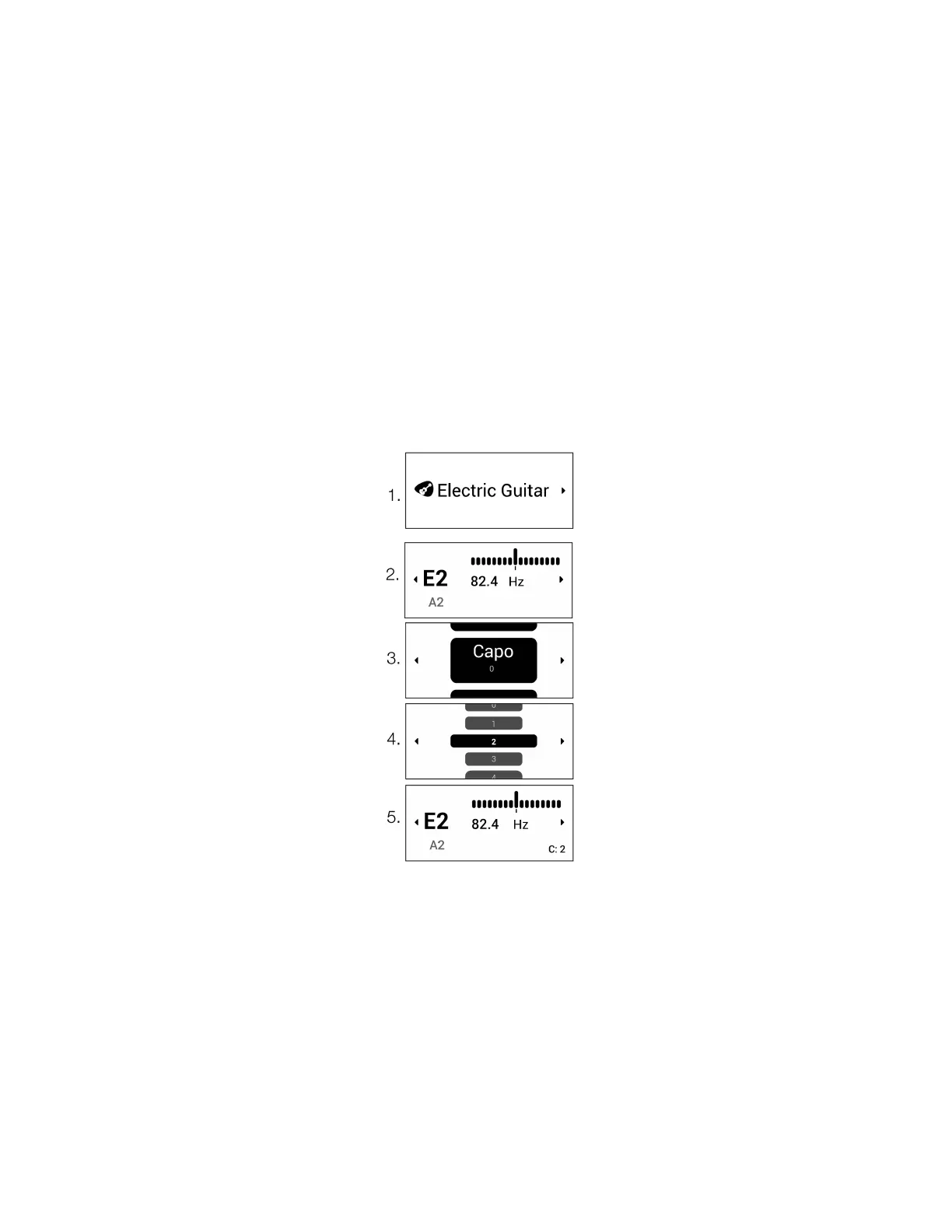
To select the capo:
● Select your instrument
● Click right to enter the Instrument Settings screen
● Navigate to "Capo" and select the fret number where you placed your capo
● Exit the Instrument Settings screen
Note: Roadie allows you to choose a capo fret between -4 and 12. You might be wondering what
the negative capo value means? Well, we created this option in case you would like to tune a half
step, full step, or even 2 steps down. For example, if you select capo -1, Roadie will tune your guitar
a half step down. Sure, you can always choose the “Half Step Down” tuning but this might just be
quicker for you!


 To Next Page