How to change the A4 reference pitch
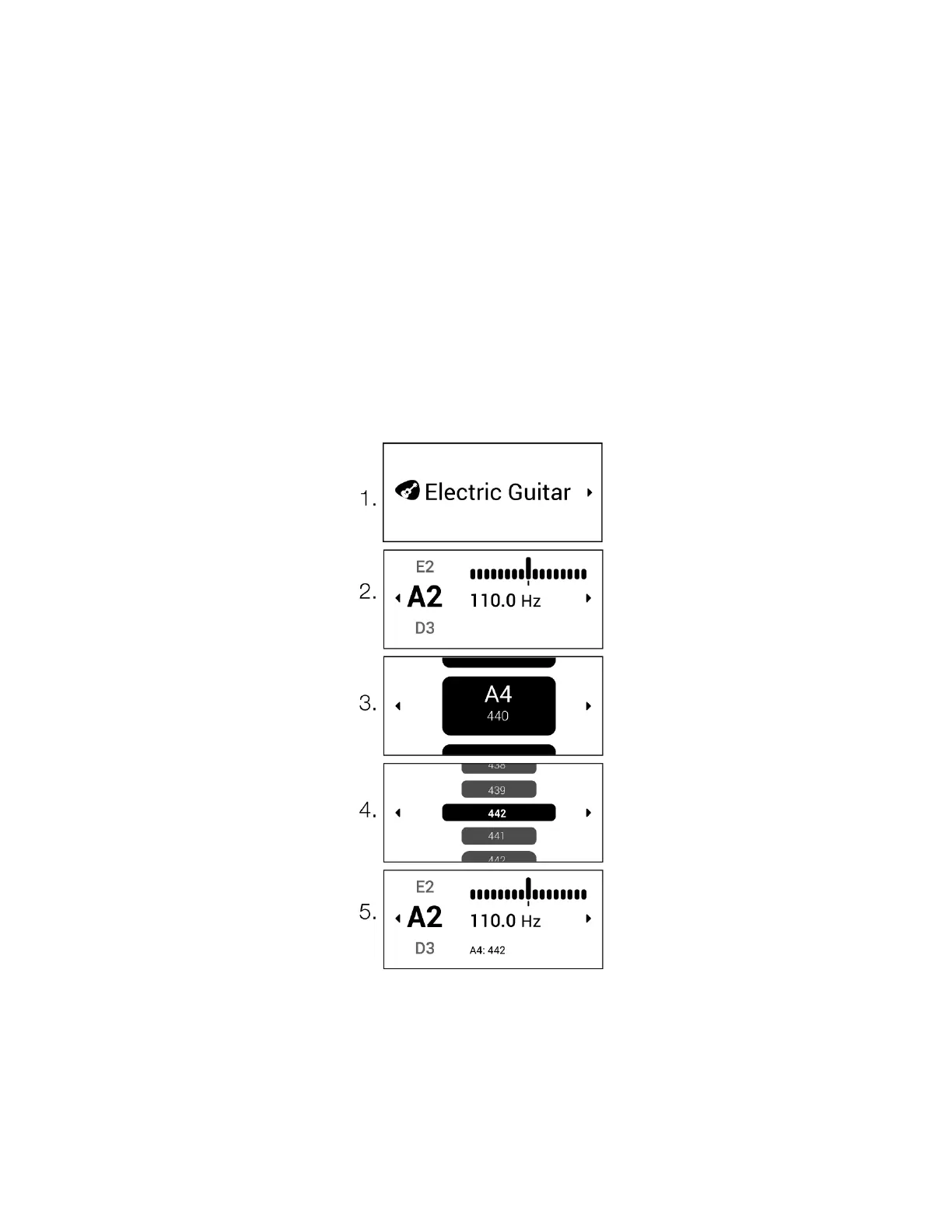
The reference A440 Hz setting is customizable in 1 Hz increments from 420 Hz to 460 Hz.
To change the reference pitch:
● Select your instrument
● Click right to enter the Instrument Settings screen
● Navigate to "A4: 440Hz" and select your preferred reference pitch
● Exit the Instrument Settings screen


 To Next Page