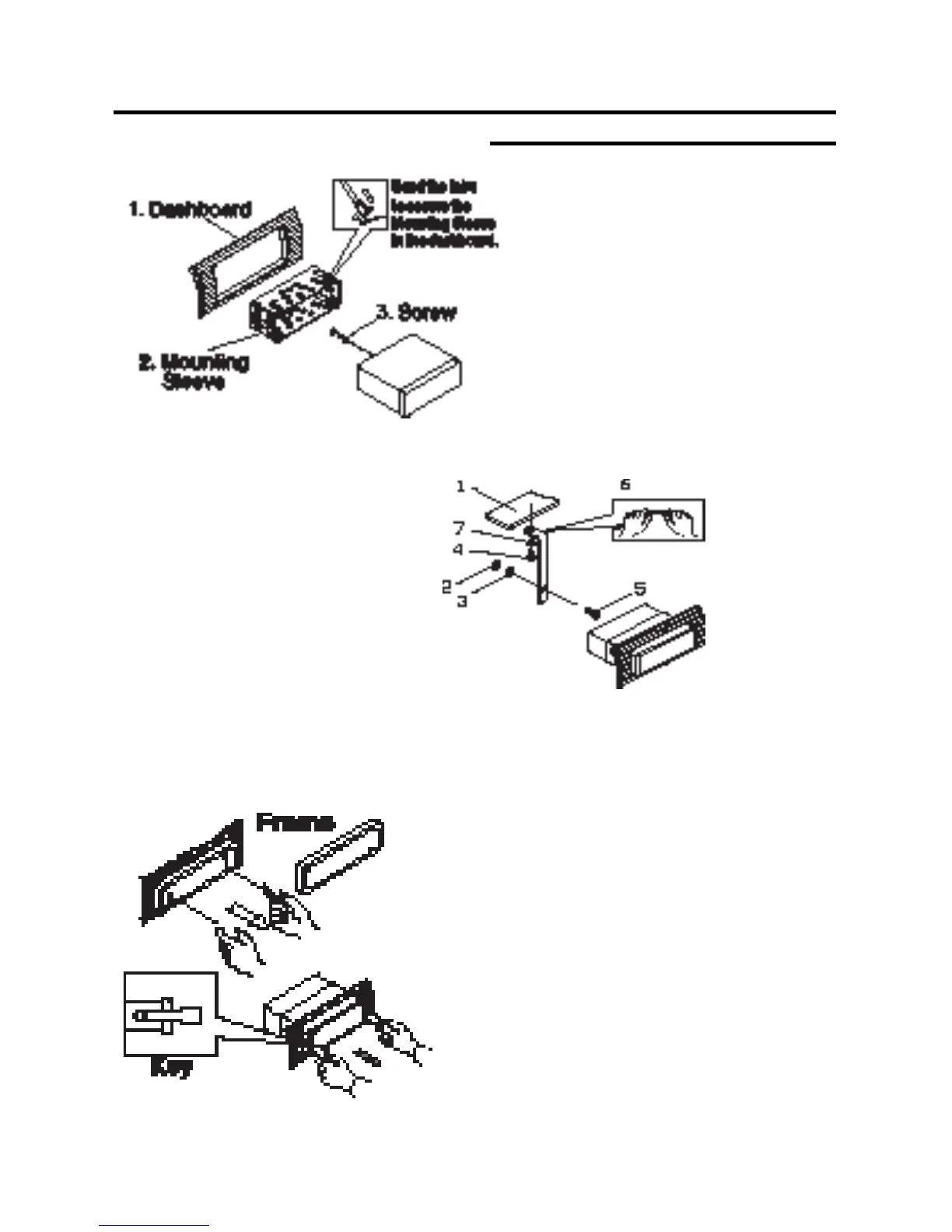
1. Dashboard
2. Nut (5mm)
3. Spring washer
4. Screw (5 x
25mm)
5. Screw
6. Strap
7. Plain washer
Installation
DIN FRONT-MOUNT (Method A)
After inserting the Mounting Sleeve
into the dashboard, select tabs on
top, bottom, and sides, then bend
them to secure the mounting sleeve
in the dash board.(Fig. 1)
Fig. 1
Fig. 2
Follow the diagram in Fig. 2 for in-
stalling the rear mounting strap to
the head unit. The rear mounting
strap will help keep the head unit
from moving around inside the dash-
board.
Insert ngers into the groove in the front of frame to remove it.
Insert the keys supplied with the unit in the
grooves on both sides. The unit can be installed
or removed from the dashboard using these
keys.(Fig. 3)
Fig. 3
5



 To Next Page