4
English
B
A
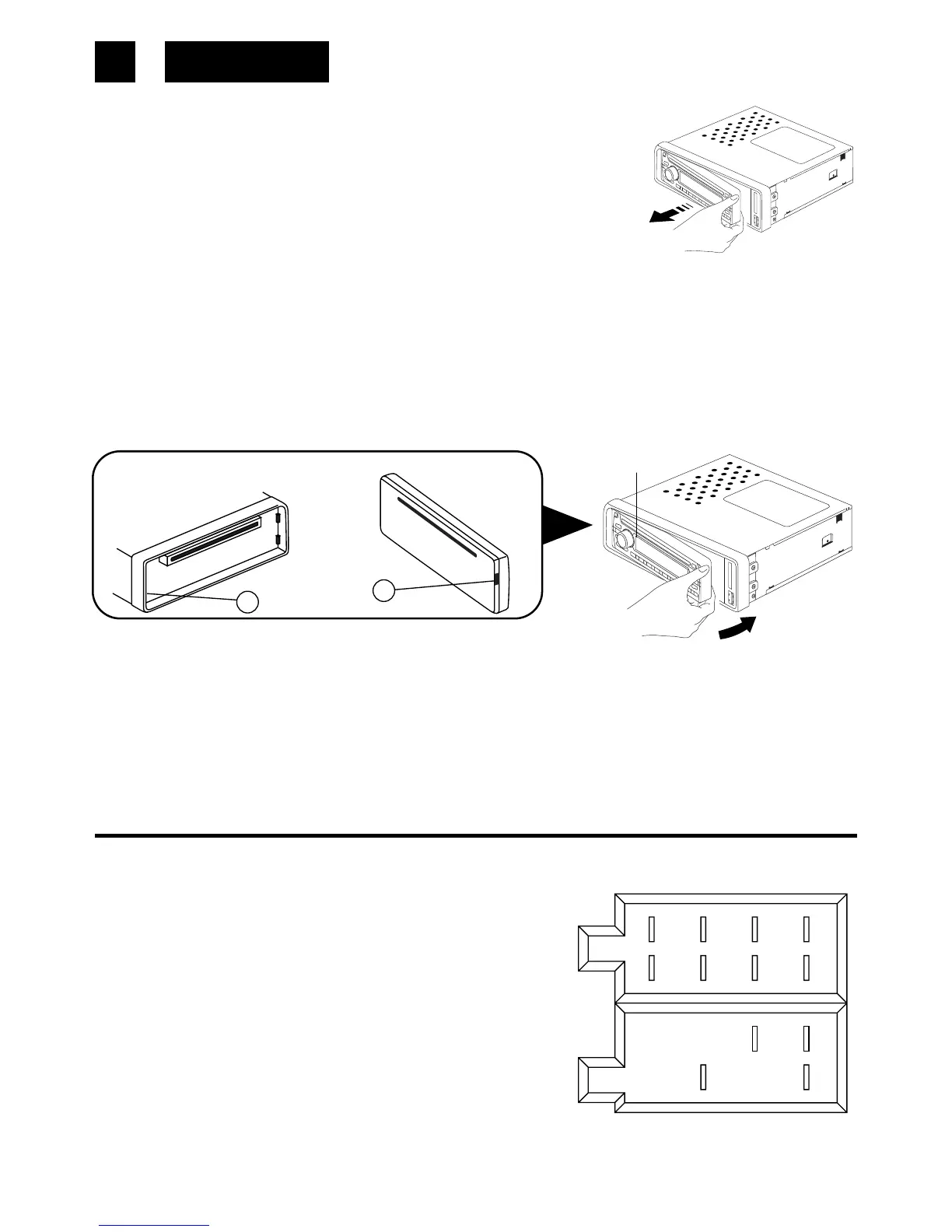
Detaching and attaching the front panel
The front panel of this unit can be detached in order to prevent
the unit from being stolen.
DETACHING THE FRONT PANEL
Before detaching the front panel, be sure to press the PWR but-
ton OFF first.
Pull out the panel towards you in order to detach completely the panel from the main unit.
Refer to instruction.
ATTACHING THE FRONT PANEL
Make sure the front panel is the right way up when attaching it to the unit as it cannot be
attached upside down. Bring side B of panel to side A of main unit.
Insert the panel in and push until it clicks.
Panel is attached.
Notes:
• Do not press the front panel hard against the unit when attaching it. It can be easily attached
by pressing it lightly against the unit.
• When you carry the front panel with you, put it in the supplied front panel case.
• Do not press hard or give excessive pressure to the display window of the front panel when
attaching it to the unit.
ISO CONNECTOR
RCA Jack Line Out (Rear) -Gray
: Red (right)
: White (left)
CONNECTOR A
1.
2.
3.
4. MEMORY +12V
5. AUTO ANTENNA OUTPUT
6.
7. +12V (TO IGNITION KEY)
8. GROUND
Note:
(connector A no. 7) must be connected by car ignition key in order to avoid that car battery
becomes weak when the car will be not used for long period.
Front Panel
Rear of the
front panel
Main unit
B
1 3 5 7
2 4 6 8
5 7
4 8
A


 To Next Page