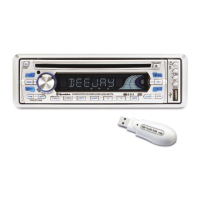
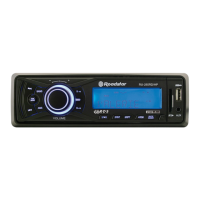
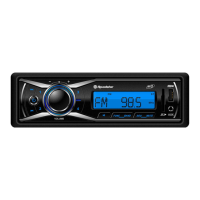
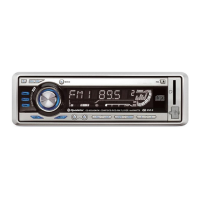
The Roadstar CD-853USMP/FM is a car stereo compact disc player with a detachable front panel, offering a range of audio and radio features.
Function Description
This unit functions as a CD/MP3 player, supporting CD, CD-R, and CD-RW formats. It also includes a PLL FM stereo radio with Radio Data System (RDS) capabilities, including Program Identification (PI), Program Service Name (PS), Program Type (PTY), Alternative Frequencies (AF), and Traffic Announcement (TA) functions. For expanded media playback, it features a USB port and an SD/MMC card slot, supporting MP3 ID3 format music. The flip-down/detachable front panel system enhances security against theft.
Important Technical Specifications
CD/MP3 Player Section:
- Signal to Noise Ratio: > 60dB
- Channel Separation: > 50 dB (1kHz)
- Frequency Response: 20Hz - 20 kHz
Tuner:
- Sensitivity: 3 μV
- Stereo separation: 30 dB
- Signal to noise ratio: 50 dB
- Frequency range: 87.5-108 MHz
- Channel step: 50 kHz
- Intermediate frequency: 10.7 MHz
Line-Out:
- Output: 350mV
- Impedance: 10kOhm
General:
- Power Supply: 13.8V DC (10.8-15.6V allowable)
- Speaker impedance: 4 or 8 ohm
- Output power: 40W x 4CH
Usage Features
General Controls:
- Power ON/OFF (1): Switches the unit on and off. The unit can also be turned on by pressing any key.
- Function Select Button (2) (SEL): Used to select various functions such as BASS, TREBLE, BALANCE, FADER, TA SEEK, MASK DPI, RETUNE, AUDIO DSP, LOUDNESS, ESP, CD MULTI, BEEP, SEEK, STEREO, and LOCAL. Pressing it for more than 2 seconds activates selecting modes for specific functions.
- Volume Up/Down (3): Adjusts volume, bass, treble, balance, and fader.
- Preset Stations (4) (1-6): In radio mode, short presses select a preset station directly. Long presses (over 1 sec.) store the current station in the preset memory bank. In CD/MP3 player mode, these buttons control PAUSE (1), INTRO (2), REPEAT (3), and RANDOM (4).
- AF Function (5) (ALTERNATIVE FREQUENCIES): Short press selects AF/REG switching mode, checking signal strength. Long press activates regional mode ON/OFF.
- TA Function (6) (TRAFFIC ANNOUNCEMENT): Short press activates/deactivates TA mode. When TA mode is on and a traffic announcement is transmitted, the unit switches to radio mode temporarily, raises volume if needed, and displays "TP" on the LCD.
- PTY Function (7) (PROGRAM TYPE): Selects PTY MUSIC or PTY SPEECH. Preset buttons are used for selection, and the radio searches for corresponding PTY information.
- Display Button (8) (DSP): Cycles through display modes: PS, CT, FREQ, PTY for RDS stations; CDP, CT, PS, FREQ, PTY for CD/MP3; FREQ, CLOCK, NO PTY for non-RDS radio; and CDP, FREQ, CLOCK, NO PTY for non-RDS CD/MP3.
- Mode Button (9) (MD): Selects between AUX, TUNER, CD-MP3, USB, or MMC/SD modes.
- Band Button (10) (BAND): Toggles cyclically through FM1, FM2, and FM3 bands.
- Automatic or Manual Tuning (11) (FREQ UP/DOWN): In radio mode, short presses enable manual tuning; long presses (over 1 sec.) enable SEEK tuning. In CD/MP3 player mode, short presses control TRACK UP/DOWN; long presses enable CUE or REVIEW mode.
- Auto Seek Search Tuning (12) (A/PS): Short press searches for each preset station. Long press (over 1 sec.) presets the 6 strongest stations.
- Scan Automatic Tuning Control (13) (SCN): Operates as RADIO SCAN, holding on each detected station for 5 seconds.
- LCD Display (14): Shows the current state of the unit.
- Panel Release Button (15): Opens the front panel.
CD/MP3 Player Specific Controls:
- CD Slot (16): For inserting CDs.
- CD Eject Button (17): Removes the CD.
- Pause Button (18): Pauses playback; press again to resume.
- Intro Button (19): Plays the first few seconds of each track; press again to stop.
- Repeat Button (20) (RPT): Repeats the selected track continuously; press again to cancel.
- Random Button (21) (RDM): Plays tracks in random order; press again to cancel.
- +10 Track Search Up/Down (22, 23): For MP3 files, M5 moves down 10 tracks, M6 moves up 10 tracks.
MP3 File Selection:
- Searching Track: Press "A/PS", then "SEL". Use VOL knob to select digits.
- Searching File Name: Press "A/PS" twice, then "SEL". Use VOL knob to select directory, then file name.
- Searching Character: Press "A/PS" three times, then "SEL". Use VOL knob to select letter.
Advanced Audio Controls (via SEL button, long press):
- TA SEEK/TA ALARM: Selects between TA SEEK (retunes to TP station if current signal is weak or no TP) and TA ALARM (only beep sound, no retune).
- MASK DPI: Selects MASK DPI (masks AF with different PI) or MASK ALL (masks AF with different PI and no RDS signal).
- RETUNE L/S CONTROLS: Selects RETUNE L (90 seconds initial time for automatic TA search) or RETUNE S (30 seconds initial time).
- AUDIO DSP CONTROLS: Cycles through POP M, ROCK M, CLASS M, FLAT M, and DSP OFF.
- LOUDNESS CONTROLS: Toggles LOUD ON/OFF to boost bass and treble.
- ESP MODE: Selects 12 sec. or 45 sec. for CD ESP mode (120 sec. for MP3 automatically).
- MULTI CD SECTION MODE: Selects CD MULTI ON (reads multi-section CD) or CD MULTI OFF (reads first section only).
- BEEP MODE: Toggles BEEP ON/OFF for button press sounds.
- SEEK MODE: Selects SEEK 1 (stops scan on first detected station) or SEEK 2 (continues scan until button release).
- STEREO/MONO: Improves listening for weak FM stations by selecting MONO.
- LOCAL/DX: "Local" stops radio on strong signals; "Distant" listens to all stations.
RDS Functionality:
- PI (Program Identification): Identifies the broadcast program.
- PS (Program Service Name): Displays the station name.
- PTY (Program Type): Categorizes programs (e.g., POP M, NEWS).
- AF (Alternative Frequencies): Automatically switches to stronger alternative frequencies for the same station.
- TP (Traffic Program): Indicates if a station broadcasts traffic information.
- Clock Function: Displays time in RDS mode.
Maintenance Features
- Fuse Replacement: If the fuse blows, check the power connection and replace it with the specified amperage fuse. Using a higher amperage fuse can cause serious damage.
- Reset Button (24): Located on the housing, it should be activated for initial installation, if function buttons do not operate, or if an error symbol appears on the display.
- Front Panel Handling: Do not press the front panel hard when attaching. Use the supplied case for carrying. Avoid excessive pressure on the display window.
- Mounting Angle: Adjust the mounting angle to less than 20°.
- Installation Precautions: Choose a mounting location that doesn't interfere with driving, avoids high temperatures, direct sunlight, hot air, dust, dirt, or excessive vibration. Use only supplied hardware. Remove the front panel before installation. Keep the release key safe for future removal.

 Need help?
 General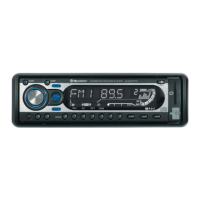

 To Next Page