Need help?
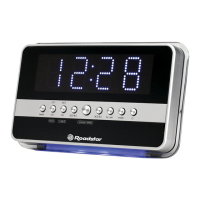
Do you have a question about the Roadstar CLR-2619 and is the answer not in the manual?
Covers electrical shock risk, exposure to moisture, ventilation, heat, and battery handling.
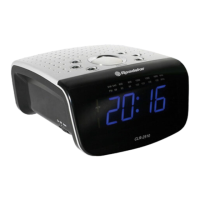
Identifies and lists all buttons, sensors, and ports on the device.
Details the unit's power source and battery backup for time/alarm settings.
Instructions on initial setup, including pressing the reset button.
Procedure for entering and adjusting time, year, month, and day.
Covers setting the 12/24 hour format and adjusting hour/minute.
Guides on setting alarm hours, minutes, and weekend days for two alarms.
Details selecting alarm sound (buzzer/radio) and enabling/disabling alarms.
Explains alarm auto-stop duration and snooze function operation.
Covers changing display content and setting the sleep timer.
Details using the thermometer and operating the AM/FM radio.
Instructions for using the reset button to restore default settings.
Advises against exposing the unit to direct sunlight, heat, or liquids.
Details using the infrared sensor for sleep and snooze functions.
Explains how to connect external audio devices via the AUDIO IN jack.
Lists technical details like frequency range, output power, and power source.
 General
| Radio type | Clock |
|---|---|
| Tuner type | Digital |
| AM band range | 540 - 1611 kHz |
| FM band range | 87.5 - 108 MHz |
| PLL synthesizer | No |
| Supported radio bands | AM, FM |
| RMS rated power | 0.35 W |
| Display type | LED |
| Headphone outputs | 0 |
| Product color | Silver |
| Input voltage | 230 V |
| Apple docking compatibility | Not supported |
| AC input frequency | 50 Hz |
| Power consumption (typical) | 5 W |

 To Next Page