EasyManua.ls Logo

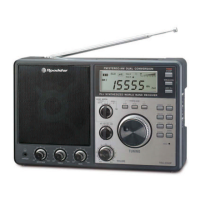
Roadstar IR-540D+BT - User Manual

Roadstar IR-540D+BT
83 pages
Print Icon
To Next Page IconTo Next Page
Loading...
www.roadstar.com
IR-540D+BT
Internet Radio / DAB+ / FM /
CD/BLUETOOTH/AUX
User manual
Bedienungsanleitung
Manuel dinstructions
Manuale distruzioni
Manual de instrucciones
Gebruiksaanwijzing
Návod k použití
Návod na použitie
Question and Answer IconNeed help?

Do you have a question about the Roadstar IR-540D+BT and is the answer not in the manual?

Overview

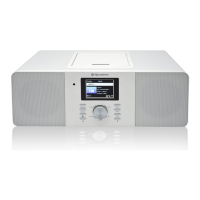
This document describes the Roadstar IR-540D+BT, an internet radio with DAB+, FM, CD, Bluetooth, and AUX connectivity.

Function Description

The Roadstar IR-540D+BT is a versatile audio device offering multiple listening options. It functions as an internet radio, providing access to a vast array of online stations, and supports DAB+ and FM radio for traditional broadcasts. A built-in CD player allows for playback of audio CDs and MP3 CDs. Bluetooth connectivity enables wireless streaming from portable devices, while an AUX-in port provides a wired connection for external audio sources. The device also includes a USB port for fast charging of external devices. Additional features include a podcast function, DLNA compatibility for streaming music from networked devices, and a Media Center for UPnP streaming.

Important Technical Specifications

Power Supply: AC 230V ~ 50Hz / DC 12V = 2.5A Radio Frequency Coverage:

  • Wireless Network: IEEE802.11b/g/n
  • Security Protocol: WEP / WPA / WPA2 / WPS
  • DAB/DAB+: BAND III 174 - 240 MHz
  • FM: 87.5 - 108 MHz
  • Streaming: UPnP, DLNA Speaker Output Power: 2 x 10 Watt RMS General:
  • Aux-In: 3.5mm jack plug
  • Headphones Out: 3.5mm jack plug
  • BT Maximum Radiated Power: < 4 dBm (2.5 mW)
  • USB Fast Charger: 5V 1A MAX

The specifications and design are subject to possible modifications without prior notice due to improvement.

Usage Features

Switching On and Initial Setup: To switch on the radio, press the POWER button (4). The display will show "WELCOME." Select your preferred language using the UP/DOWN cursors (12). The radio will prompt you to "Check Network" and "Configure Network." If you choose to configure the network immediately, follow the on-screen instructions to select your Wi-Fi network and enter the password using the alphanumeric buttons (24) or UP/DOWN cursors (12), navigating with LEFT/RIGHT cursors (6/9) and confirming with OK (16). To switch off, long-press the POWER button (4).

Connecting to Wi-Fi Network: Access the Configuration menu, then Network, and select Wireless Network Configuration. Choose your network with UP/DOWN cursors (12). Enter the password using the alphanumeric buttons (24) or UP/DOWN cursors (12) for character input, moving with LEFT/RIGHT cursors (6/9), and confirming with OK (12a). The radio supports Wireless B, G, and N connections. Ensure you have the correct WEP or WPA password.

Internet Radio: From the main menu, select 'Internet Radio' to access various functions:

  • My Favorite: A list of saved favorite stations.
  • Radio Station / Music: Browse stations by genre or location.
  • Sleep Radio: Choose ambient sounds (Birds, Lullaby, Piano, Rain, Spa, Wave, white noise) for relaxation.
  • Local Radio: Quickly access stations in your area.
  • History: View previously listened-to stations.
  • Service: Search for specific stations by name.

Podcast: Select "PODCAST" from the menu to listen to episodic spoken word audio files. The device supports 250 favorite entries and allows selection by country and genre.

Volume Control: Adjust the volume using the VOLUME (12) control. Volume levels from 0 to 10 are designed to be soft, ideal for alarm and sleep settings.

Setting Presets (Internet Radio, FM): While playing a favorite station, press and hold the PRESET button (5) for approximately 3 seconds until "Add to My Favorite" appears. Select a position using UP/DOWN cursors (12) and confirm with OK (12a).

Editing Presets: Press the PRESET button (5) to view the preset list. Select the station to edit, then press the RIGHT button (9) to enter the edit menu. Options include Delete, Shift up/down, and Rename. Confirm actions with OK (12a).

Recalling Presets: Press the PRESET button (5) to recall the favorite list. Select the desired station with UP/DOWN cursors (6/9) and confirm with OK (12a).

DAB Radio: Select "DAB" from the menu.

  • Quick Scan: Press LEFT button (6), select YES, and the device will scan for stations.
  • Preset Recall: Press and hold PRESET button (5) to save a station (up to 20 stations). Press PRESET (5) and then UP or DOWN (6/9) to recall saved stations.

FM Radio: Select "FM" from the menu.

  • Search: Long press LEFT or RIGHT buttons (6/9) to search for FM stations.
  • Manual Tune: Short press LEFT or RIGHT buttons (6/9) for fine tuning.
  • Auto Scan: Press OK button (12a) to auto scan.
  • Preset Recall: Press and hold PRESET button (5) on the remote control to save a station. To recall, press PRESET (5), select with LEFT or RIGHT (6/9), then press ENTER (12a).
  • Preset Position: Press PRESET (5), then RIGHT (9) to shift a station up or down in the list.

Bluetooth Operation: Select "BLUETOOTH" from the menu. Switch the radio to Bluetooth mode. Connect your portable Bluetooth device to "IR-540D+BT." Music control (play, pause, etc.) can be done from your device if supported by both devices.

DLNA: The internet radio can stream music from DLNA-compatible devices on the same Wi-Fi network. The radio will appear as "AirMusic." To change this name, go to Configuration and DLNA setup.

Media Center (UPnP): Select "MEDIA CENTER" from the menu, then "UPnP." Stream music from networked devices that support UPnP, such as a computer running Windows Media Player. Ensure your computer is on the same Wi-Fi network.

Information Center:

  • Weather Information: View worldwide weather forecasts and set a desired location for standby display. Enable in Configuration > Weather.
  • System Information: View radio information like software version.

System Setup: Access the main CONFIGURATION menu.

  • Time Display: Choose analog or digital time display.
  • Manage My MediaU: Manage your favorite station list via the web portal (www.mediayou.net/web/index.php). Register, add your device's MAC address, and synchronize changes.
  • Network: Configure wireless network settings, including scanning, WPS PBC, and manual configuration.
  • Date & Time: Set current date and time (auto-detect or manual), and choose time/date formats.
  • Alarm: Set two alarms with daily, once, or specific day options. Choose IR/DAB/FM as the source, set volume, and snooze duration. NAP alarm is for short durations (5-120 minutes) with a beep only.
  • Sleep Timer: Set a timer (15-180 minutes in 15-minute increments) to put the radio into standby.
  • Language: Select from available languages.
  • Dimmer: Adjust LCD backlight settings (Energy Save, On).
  • Display: Choose between "color" or "monochrome" display modes.
  • Power Management: Set auto-standby time (Off, 5/15/30 minutes) if no audio signal is received.
  • DAB/FM Setup: Configure FM mode (Stereo/Mono) and sensitivity (Strong/Standard/Weak).
  • Local Radio Setup: Automatically detects local stations. Manual setup allows changing local stations for other countries.
  • Playback Setup: Set playback mode (Off, Repeat one/all, Shuffle).
  • Menu: Customize which icons appear in the main menu.
  • Equalizer: Choose preset equalizers or customize Tone, Bass, and Loudness.
  • Resume When Power On: Enable/disable Wi-Fi connection resume on power-on.
  • Device: View system information and other parameters.
  • Software Update: Check for available software updates.
  • Reset to Default: Reset all settings to default. Note that all presets and configurations will be lost.

Playing Compact Disc: Select "CD" from the menu. Use LEFT/RIGHT buttons (6/9) or CD/MP3 buttons (6/9) on the remote to select tracks. Press OK (12a) to play/pause. Press STOP (7) to stop playback.

Repeat Mode: During playback, repeatedly press REP button (8) to select:

  • Repeat1: Repeats the current track.
  • RepeatFolder: Repeats the current folder.
  • RepeatAll: Repeats all tracks.

CD Programming: In CD mode, press STOP then PROG. Use UP or DOWN to select desired tracks and press PROG to add them to the program list. Press STOP to start programmed playback. Double press STOP to cancel the program.

AUX In Operation: Select "AUX" from the menu. Connect an external audio device to the AUX-IN SOCKET (14) using a 3.5mm jack cable (not included). Music control must be done from the external device.

USB Fast Charge: The USB port on the back provides fast charging for external devices. Charging speed depends on the cable and device.

Maintenance Features

Precautions:

  • Avoid using the radio in high temperature/humidity environments for prolonged periods to prevent damage.
  • Keep the radio away from liquids. If liquids spill, immediately switch off the radio and consult the store where it was purchased.
  • Do not use or store the unit in dusty or sandy environments.
  • Do not open or repair the radio yourself.
  • Clean only with a dry cloth.

Warnings:

  • The exclamation point within a triangle indicates important operating and maintenance instructions.
  • The lightning flash symbol indicates dangerous voltage inside the unit.
  • To reduce the risk of electric shock, do not remove the cover. Refer all servicing to qualified personnel.
  • The unit operates on 230V ~ 50Hz. If not used for a long time, remove the plug from the AC mains.
  • Ensure all connections are properly made before operating.
  • Do not expose the unit to moisture or rain.
  • Position the unit in a well-ventilated area, away from curtains, carpets, or built-in installations.
  • Do not expose the unit to direct sunlight or heat radiating sources.

Correct Disposal: This product should not be disposed of with other household waste at the end of its life. Recycle it responsibly to promote sustainable reuse of material resources. Contact your retailer or local government office for details on environmentally safe recycling. Business users should contact their supplier for disposal terms.
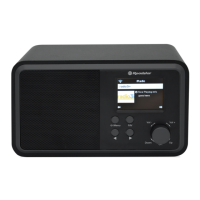
Roadstar IR-540D+BT Specifications

General IconGeneral
BrandRoadstar
ModelIR-540D+BT
CategoryRadio
LanguageEnglish

Related product manuals