Page 15
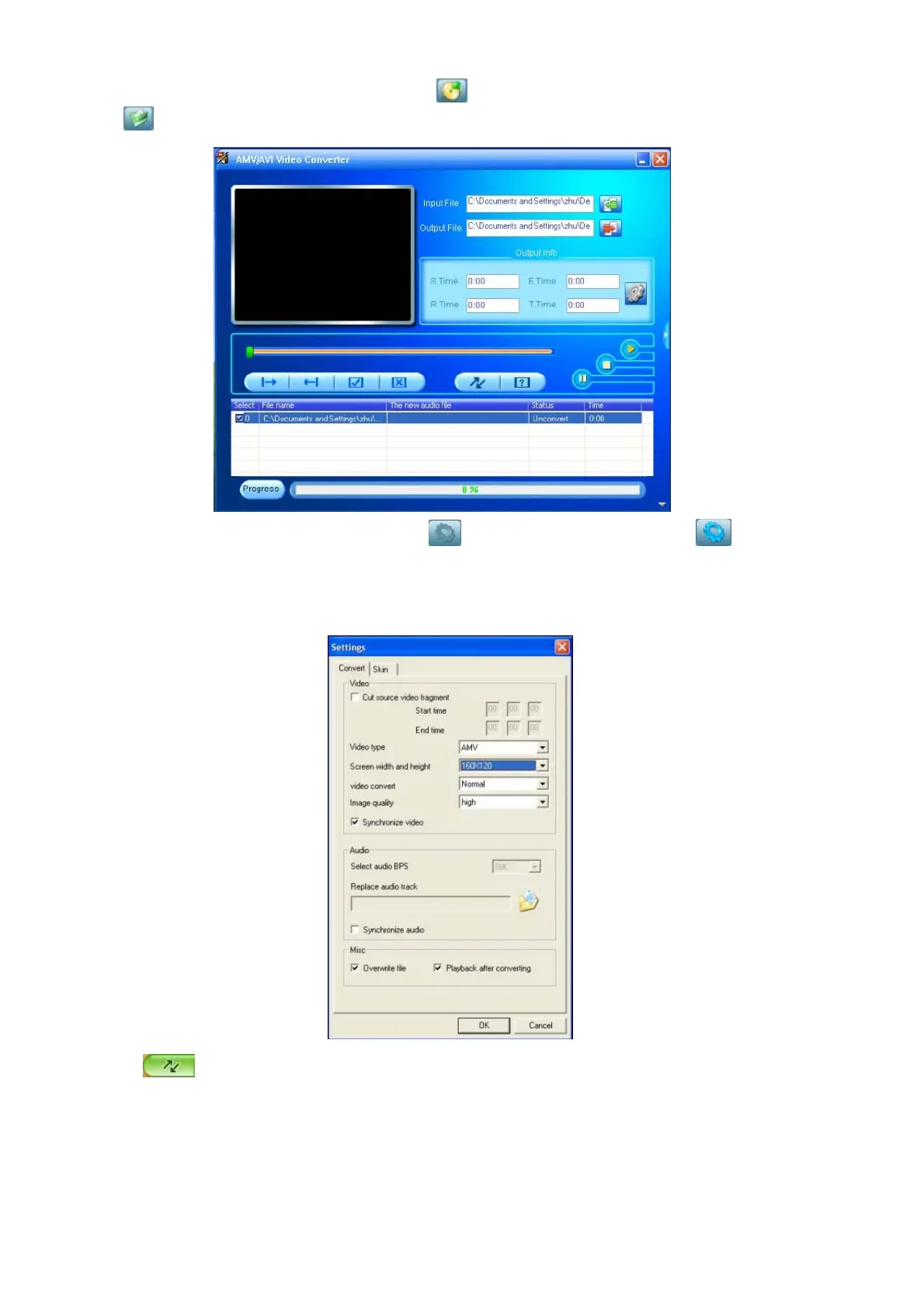
1. Run “AMV&AVI Video Converter”, click to choose the folder where to save the AMV files, then
click
to select the position where the original files are.
2. Select unprocessed AMV/AVI files, then click , the icon will be highlighted into and a dialog box
will show. Choosing the setting of the AMV/AVI file you want to obtain, then click OK to confirm. (Note: Only
pixels in “160 * 120 can be supported for this player at AMV format, pls refer below)
3. Click
to start converting.



 To Next Page