Settings
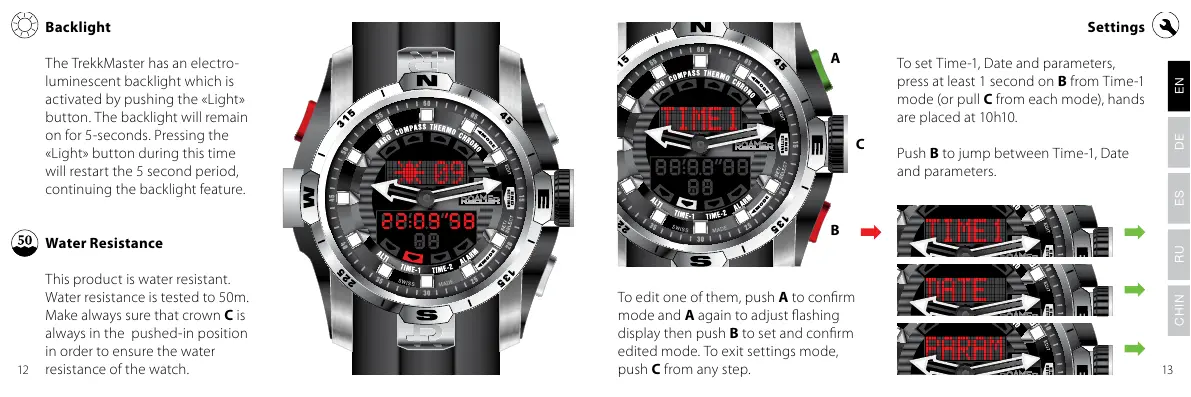
To set Time-1, Date and parameters,
press at least 1 second on B from Time-1
mode (or pull C from each mode), hands
are placed at 10h10.
Push B to jump between Time-1, Date
and parameters.
To edit one of them, push A to conrm
mode and A again to adjust ashing
display then push B to set and conrm
edited mode. To exit settings mode,
push C from any step.
The TrekkMaster has an electro-
luminescent backlight which is
activated by pushing the «Light»
button. The backlight will remain
on for 5-seconds. Pressing the
«Light» button during this time
will restart the 5 second period,
continuing the backlight feature.
Water Resistance
This product is water resistant.
Water resistance is tested to 50m.
Make always sure that crown C is
always in the pushed-in position
in order to ensure the water
resistance of the watch.
Backlight
A
C
B
1312
!" #$ %&'( &$&)


 To Next Page