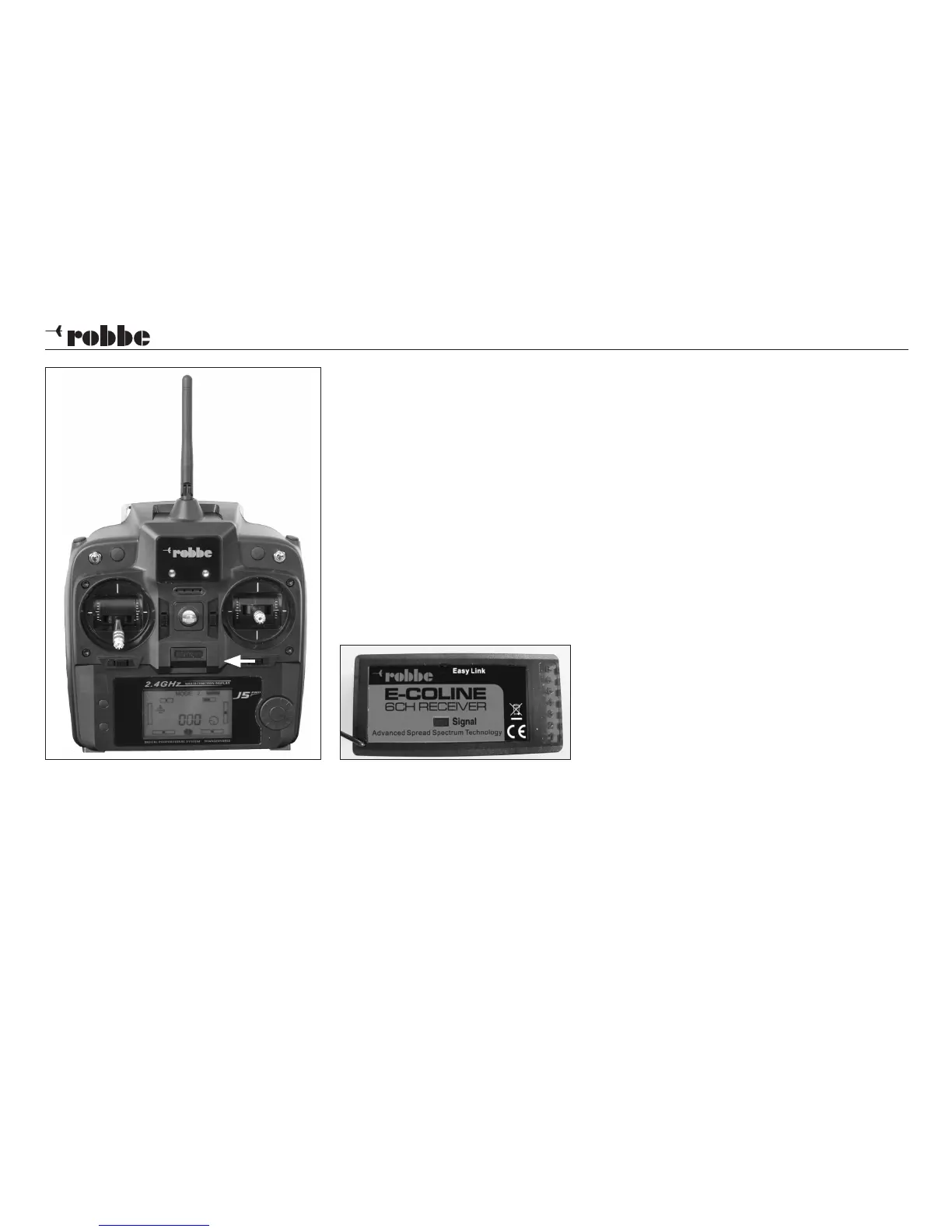
Fig. 1
16
Operating instructions - ARCUS SONIC RTF 2.4 GHz No. 2565
Re-binding the transmitter
This procedure is only necessary if individual components are replaced.
Move the throttle stick and trim to the bottom position (motor stopped), then
place the transmitter as close as possible to the receiver.
Locate the horizontal trim switch below the right-hand stick unit on the transmit-
ter, and push it to the left while you switch the transmitter on (Fig. 1). The screen
now displays the message "5-H", and emits a series of beeps. Connect the LiPo
flight battery, and the LED on the receiver flashes at a high rate. Now hold the
Easy Link button pressed in for three to five seconds until the LED goes out.
When the binding process is complete, the transmitter's screen reverts to nor-
mal mode, and the LED on the receiver glows constantly. The servos will now
respond normally to stick movements.
Checking the working systems
Before the first flight it is important to set all the trims - except for the throttle trim
- to centre. The throttle stick must be in the "fully back" position (towards you). If
the propeller turns, adjust the throttle trim until it comes to a halt.


 To Next Page