5
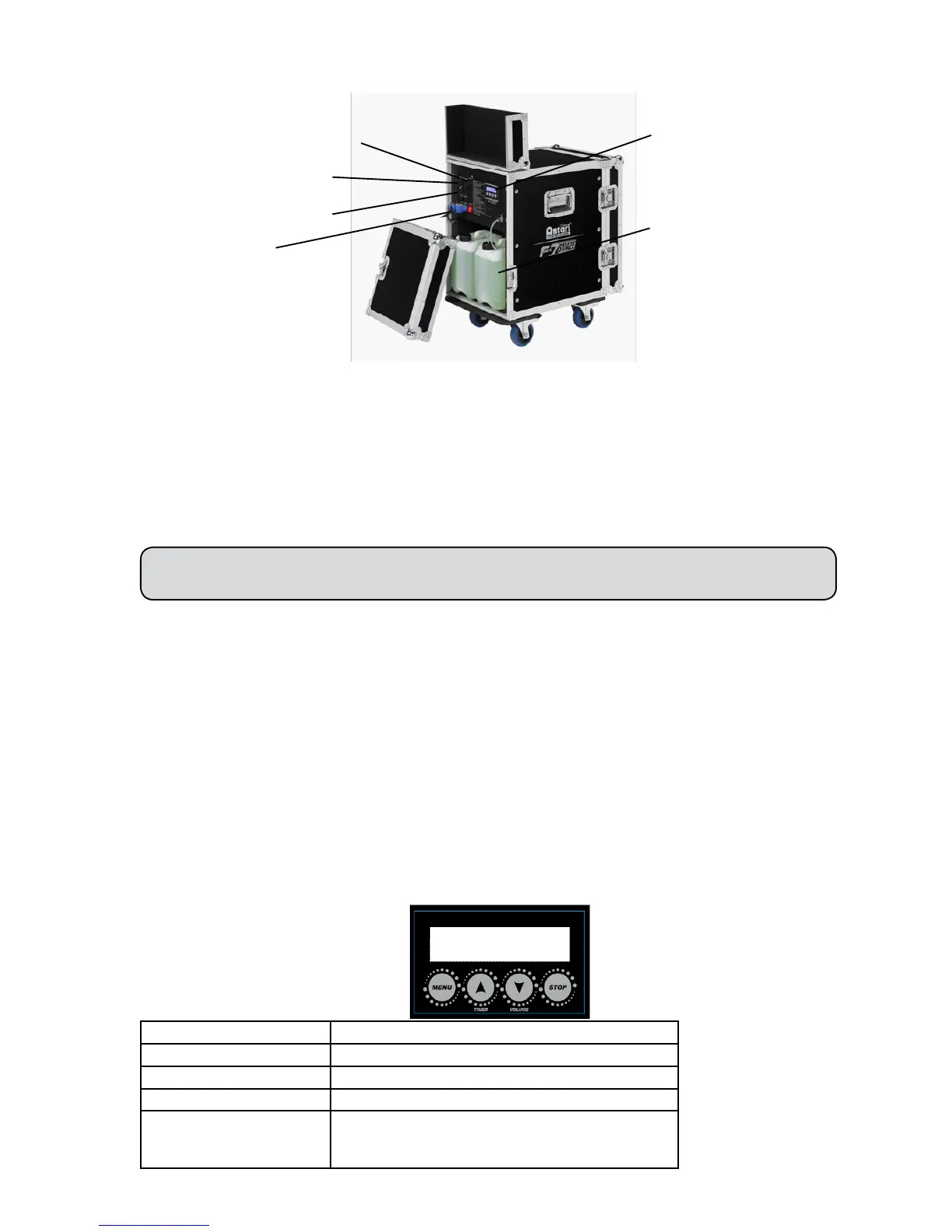
4. Product overview
5. Setting Up
Step 1: Place the machine on a at surface and in a suitable large area with at least 50 cm open space around
the machine.
Step 2: Fill the uid tank with Robe approved uid.
Step 3: Connect the machine to suitable rated power supply.To determine the power requirement for the
machine refer to the label on the back of the machine.
Always connect the machine to a protected circuit and ensure it is properly grounded to avoid risk
of electrocution!
Step 4: Turn on the machine and allow it to heat up. Heat up takes approximatly 6 mintues. Once the machi-
ne has reached operating temperature, the display will show Ready to Fog. Now the machine is ready for
operation.
Step 5: To start making fog, press the VOLUME button on the control panel.
Step 6: To turn off the machine, hold the STOP button for 3 seconds; the machine will automatically run a
self-cleaning process and shut off after the process is done.
6. Operation
Control Panel Operation
The machine can be operated with the onboard digital control interface.
Button Function
[MENU] Scroll through setting menu
[UP]/[TIMER] Up/Activate Timer function
[DOWN]/[VOLUME] Down/Activate Volume function
[STOP] Deactivate Timer/Volume function
Or to select and memorize the setting.
Hold 3 seconds to start self-cleaning process
Control Options: DMX, W-DMX
XLR 3-Pin DMX Connector
XLR 5-Pin DMX Connector
Neutrik PowerCon
Blue LCD screen, Timer mode,
Volume mode
Tank Capacity: 5 liters
Robe X1 FT PRO
Ready to Faze



 To Next Page