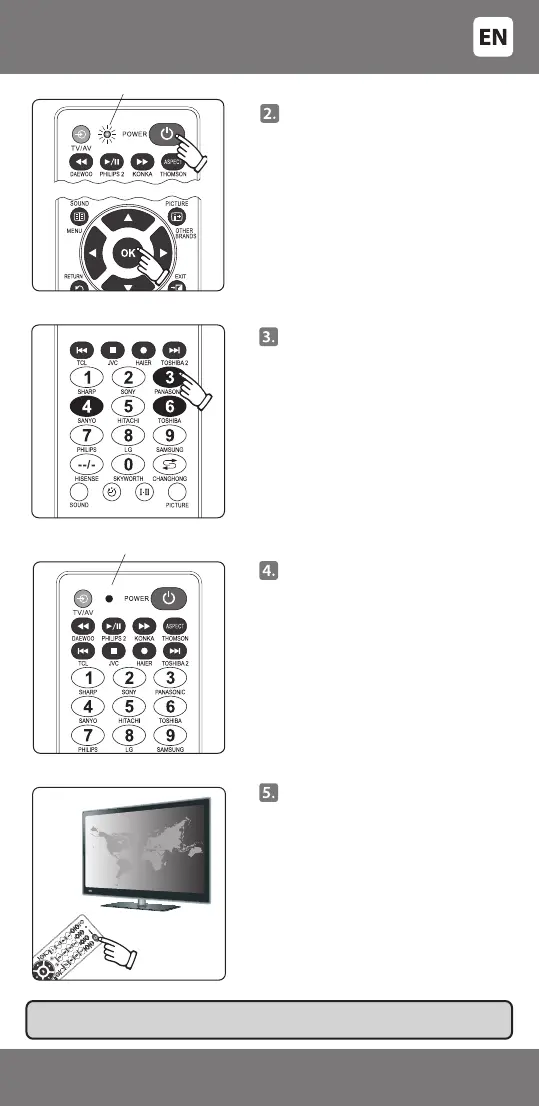
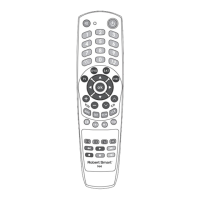
Press the [POWER] key and [OK]
key and release only when the
indicator will switch on and shine
constantly.
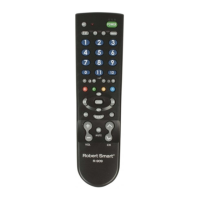
Enter the 3-digit code (for
example, the code for 'SONY' is
'346').
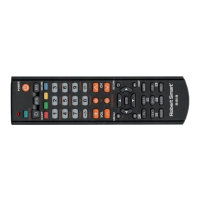
If the code is entered correctly,
the indicator light will go o. If
the code is not entered correctly
(a wrong digit has been entered),
the indicator will ash three
times and remain in setup mode
(indicator light is on). Enter the
code again. If setup is successful,
the indicator light should go o.
IMPORTANT: Write down the correct code on a sticker under the remote control
battery cover. That way you can nd it quickly and easily, when needed.
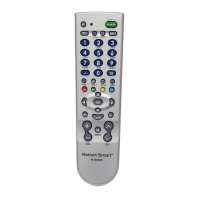
Point the remote control at the
device and try pressing some keys
on the remote control. If some or
all of the main keys do not work,
repeat the steps in 2 to 4 and try
other codes from the table until all
of the main keys work.
Indicator light is o
The indicating light is on
- 5 -
3301048


 To Next Page