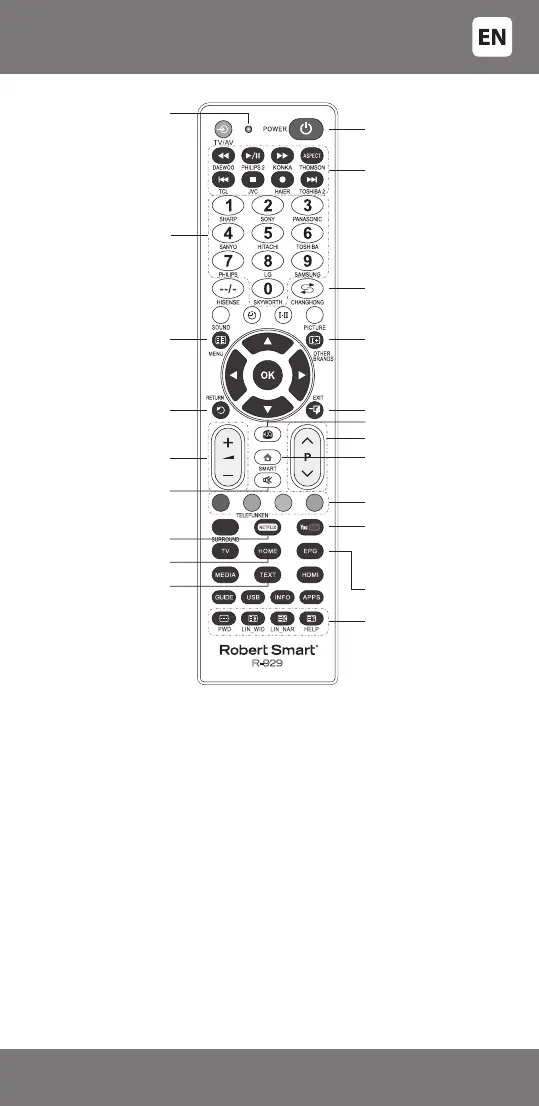
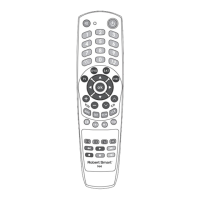
Volume up/down
Mute
R-929
Colour keys
Show the action guide (if
colour keys are available).
• Returns any shown menus
to the previous screen.
• Stops the photo/music/
video le replay.
Indicator light
Channel keys and
numeric keys
NETFLIX (only in separate
regions/ countries/TV
models) Access to “NETFLIX”
online service.
Shows or cancels the menu
The text broadcast
is shown in the text
mode
SMART mode
Teletext and special
function keys
Show information/text
3D mode
Switch channels
‘forward/backward’
Return to the previous
channel or entry
Manages the multimedia
content of the TV
Switching on of TV or
switching to stand-by
menu.
YouTube
Access to “YouTube” online
service (only in separate
regions/countries/TV
models)
[MENU] - Menu
[EXIT] - Exit/Cancel
[EPG] - Electronic
programme guide
TV CONTROL KEYS AND CORRESPONDING FUNCTIONS
INSTRUCTIONS FOR CORRECT USE
Avoid sharp impacts to the remote, strong vibration, excess heat (over
40°C). Do not allow the remote to come into contact with uids, perfumes,
and alcohol. Do not let the batteries leak.
Technical data
Operation distance of the remote control: approximately 8 meters
(depends on the controlled
device parameters).
Battery type: AAA/R03 1.5V/ 2pcs.
Weight: 90g (without batteries)
Dimensions: 53 x 220 x 19mm
Subject to technical changes without warning.
RESTORING FACTORY SETTINGS
If your remote control does not work properly, you can perform a factory reset:
Press and hold [POWER], while also pressing [0], then wait for the indicator
light to come on. When the indicator light ashes three times, the factory
settings on your remote control have been restored.
If the remote still does not operate correctly, remove the batteries and
place them back after 20 seconds.
- 9 -
3301048


 To Next Page