C. AUTOMATIC CODE SEARCH
Automatic code search is recommended if you have tried the 'QuickSet'
option and the option of entering the code from the code table
unsuccessfully. This function will look for codes from an even larger list
stored in the memory of the remote control, which enables linking the
remote control even to specic models.
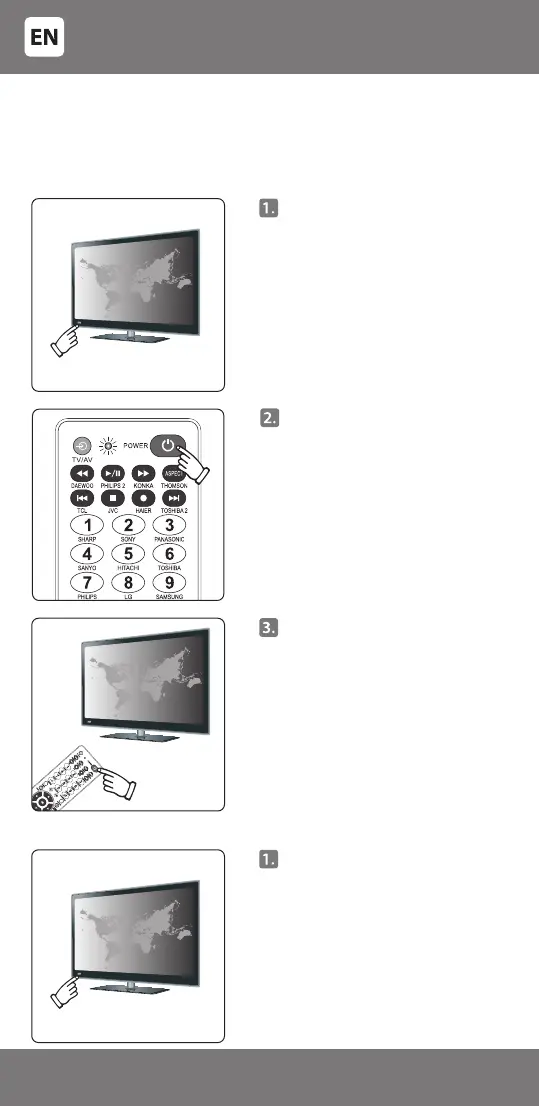
Manually turn on the TV - it must
be fully turned on and not just in
standby mode!
Point the remote control at
the device, and press and hold
[POWER]. After about 6 seconds,
the indicator light will begin to
ash, an automatic search will
begin and the remote control
will transmit codes to the TV.
When the volume control symbol
appears on the TV screen, release
the [POWER] key - the indicator
light on the remote control should
go o.
Point the remote control at the
device and try pressing some keys
on the remote control. If some or
all of the main keys do not work,
repeat the steps in 2.
D. MANUAL CODE SEARCH
Manually switch on your
television; it must be fully
switched on, not just in standby
mode!
- 6 -
3301048


 To Next Page