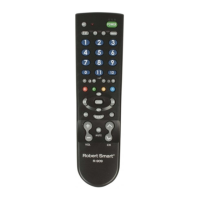
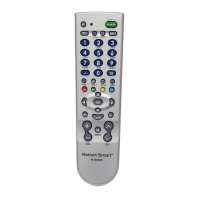
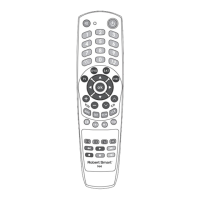
APPLICATION OF LEARNING MODE
In this remote you can copy the key functions from the original infrared
remote.
One command can be recorded into the memory of each key.
IMPORTANT:
- In order for the learning mode to be successful, new batteries should
be placed in both remotes.
- If any of the keys cannot be learned, select a dierent key.
1. At the same time press and hold for 3 second the [POWER] key and [
]
key (learning mode).
2. Press that R-929 key which you would like to 'train'; a light indicator will
start to ash - it means that the remote is ready to receive the infrared
signal.
3. Aim the emitting end of the learning remote towards the receiving
window of R-929 (within 3-5 cm).
4. Press one key on original remote control (relevant command will be
transmitted) until the light indicator of R-929 does not ash and shine
continuously. It means that the transmitted signal has been received.
5. In order to learn other keys, repeat the steps indicated in points 2-4.
6. In order to exit from the learning mode, press [OK] key and hold it for 3
seconds. If none of the keys will be pressed within 20 seconds, the remote
will automatically exit from the learning mode.
In order to 'learn' other keys, repeat the learning procedure for other
keys.
7. If you wish to delete the learned information, simultaneously press
[POWER] and [4] keys and hold for 3 seconds; all learned information will
be deleted.
TV BRAND CODE INDICATION
If you used the automatic code search mode, it is useful to know which
code the device has found. The brand code consists of 3 gures, and the
remote can indicate each of these.
1) Press and hold the [POWER] key; afterwards press key [1]. Count how
many times the indicator ashes. This number will be the rst gure on the
left of the three-gure code (for example: the indicator ashes six times -
the code number is "6"). If the indicator ashes zero times, the digit is "0".
2) Press and hold the [POWER] key; afterwards press key [2]. Count how
many times the indicator lights up. This number will be the second gure
of the three-gure code (for example: the indicator ashes three times -
the code number is "3"). If the indicator ashes zero times, the digit is “0”.
3) Press and hold the [POWER] key; afterwards press key [3]. Count how
many times the indicator ashes. This number will be the last gure of the
three-gure code (for example: the indicator ashes eight times - the code
number is "8"). If the indicator ashes zero times, the digit is "0".
As a result of these steps, a code "638" has been obtained. Write down
the correct code (if necessary, you will be able to enter it directly).
ACCESS LOCKING FOR CHILDREN
Locking: Press and hold keys [POWER] and [8], until the light indicator will
ash 3x. Release the keys. Now the remote is locked.
Unlocking: Press and hold keys [POWER] and [8], until the light indicator
will ash 1x. Release the keys. Now the remote is unlocked.
- 8 -
3301048


 To Next Page