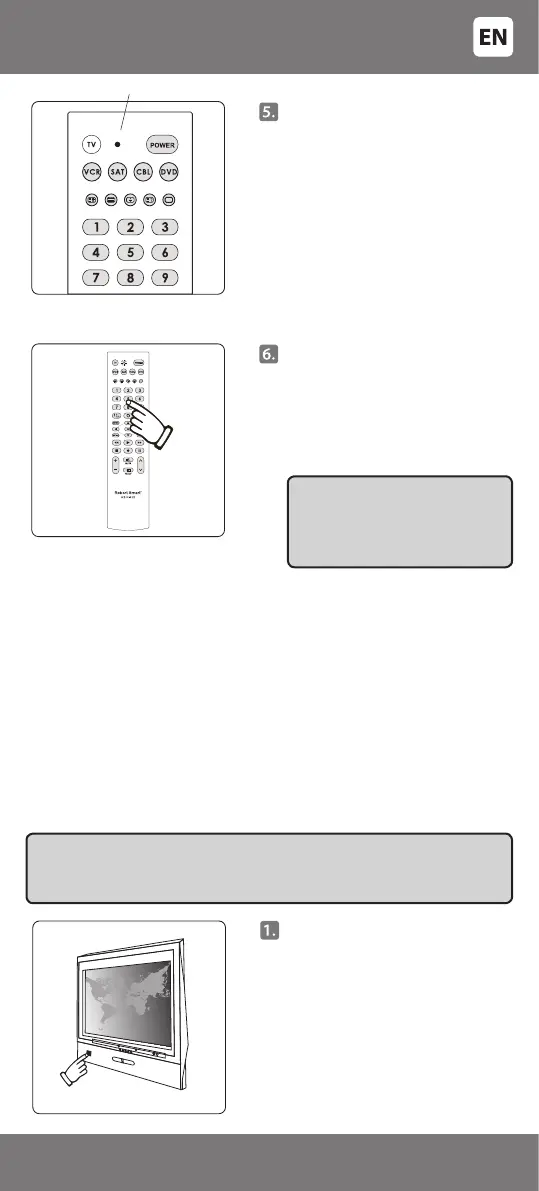
If the code is entered correctly, the
light indicator will ash twice and
then go out. If the code is entered
incorrectly (any digit of the code is
entered incorrectly), the indicator
will ash three times and remain
in the setup mode (the light
indicator is on). Enter the code
again.
After successful setup the indicator
should go out.
Press the key indicating the device
to complete setup of the remote
(in this case [TV]).
If you wish to program the remote for more devices, at the beginning of
setup procedure (Point 1.1) press the key of the selected device (VCR, SAT,
CBL or DVD), and continue the same way.
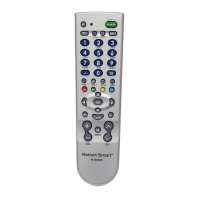
If the remote R-912 is used for several devices, before operating the device
in question press the appropriate key on the remote (e.g. for television
– [TV], for video cassette recorder – [VCR], for satellite receiver – [SAT],
for cable TV receivers – [CBL]). Press the key for the device you wish to
operate and the remote will switch over to the signal of the corresponding
device.
Indicator o
IMPORTANT: Write down the
correct code on the label under
the battery cover. Therefore, if
needed you can nd it quickly
and simply.
Point the remote towards the
controllable device and check
that the keys of the remote are
working. If some or all of the main
keys are not working, repeat steps
2 - 6 and try other codes from
the list until all the main keys are
working properly.
Manually switch on the
controllable device (e.g. TV).
As with the 'Code setup from the
code table' method, the device
must be fully switched on, and not
just in standby mode.
B. AUTOMATIC CODE SEARCH
Use automatic code search if you have tried 'Code setup from the code
table', but the device cannot be controlled yet. This function ensures
selection of code from an even wider code list entered in the remote
control memory so that the remote can also be programmed for more
specic models.
IMPORTANT: The search method cannot be used for video cassette recorders
(VCR), satellite receivers (SAT) and cable TV receivers [CBL]. For these devices,
please, use the code setup method as described in section ‘Code setup from
the code table’.
- 5 -
34-47



 To Next Page