10
Pairing and Playing your device by NFC
Your speaker is equipped with a wireless NFC (Near Field Communication)
feature allowing other NFC enabled devices to pair and play music with
your .
1. Ensure that Bluetooth and NFC are enabled on your device. You may
need to refer to the user documentation for your device, since the method
will vary with each device. Some cases or covers for your device may
reduce the sensitivity of the NFC function. You may need to remove
them before activating NFC.
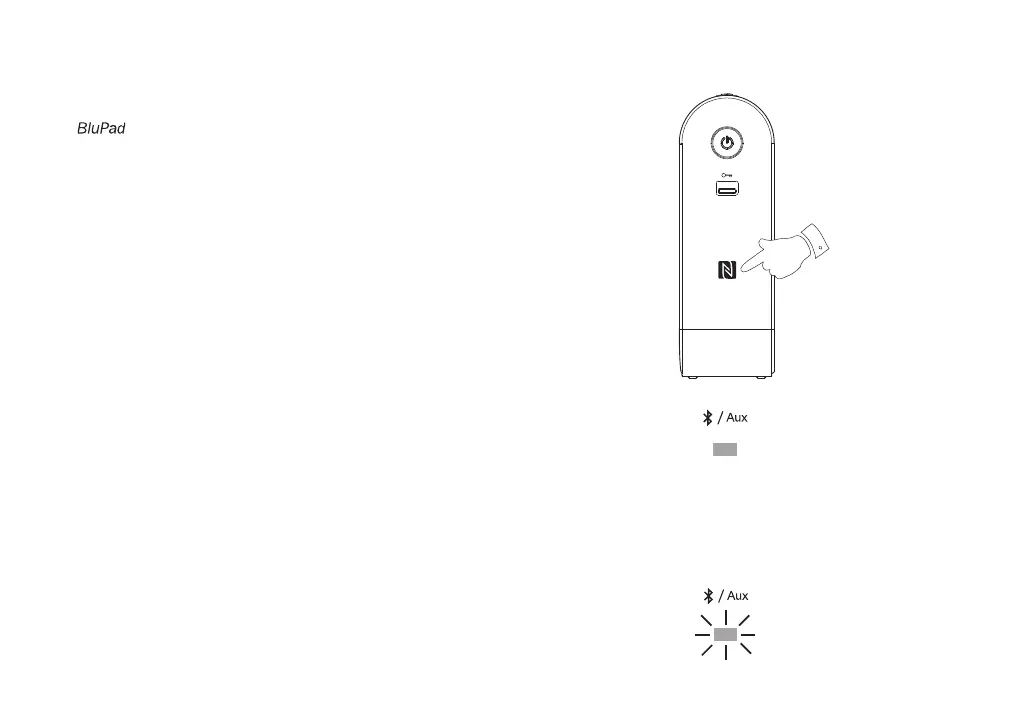
2. Touch the NFC area of your playing device directly against the NFC area
marked on the right hand side of your Bluetooth speaker. The speaker
will automatically be switched on and connected to your NFC enabled
device.
When you pair your speaker with your NFC enabled device for the fi rst
time your device may ask for permission to connect to your speaker.
3. Once your speaker is paired with your NFC enabled device, ‘Connecting
BluPad’ or a similar message may be shown on your NFC enabled
device. Your speaker will be switched on. A beep will be heard and the
blue Bluetooth indicator will light.
4. If you would like to link another Bluetooth device using the NFC feature
you will need to disconnect the current device.
5. To disconnect the device from your speaker simply touch the NFC area
of your playing device directly against the NFC area marked on your
speaker.
6. The speaker will beep and the Bluetooth indicator will fl ash to show
the speaker is now ‘discoverable’. You may now pair your speaker with
another Bluetooth enabled device.
2,5



 To Next Page