11
Playing music via the auxiliary input socket
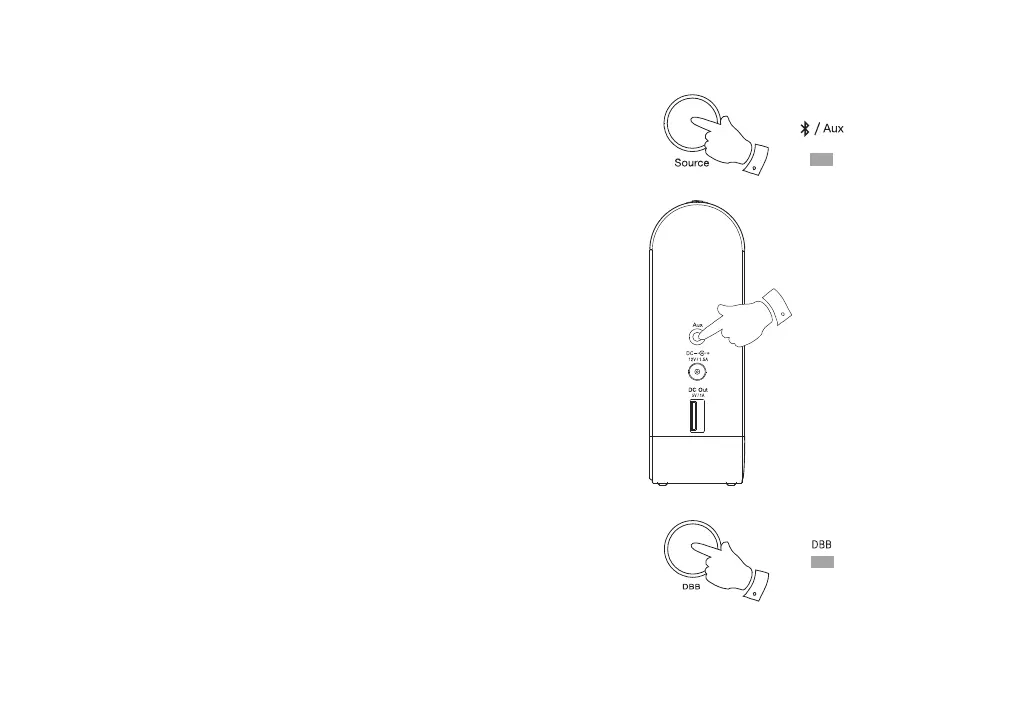
A 3.5mm Auxiliary input socket is provided on the left hand side of the speaker
to permit an audio signal to be fed into the speaker from any devices that
features a headphone socket or audio output, such as an iPod, MP3 or CD
player.
1. Press and release the Source button to select the Auxiliary input mode.
When in Auxiliary input mode the source indicator will show yellow.
2. Connect a stereo or mono audio source (for example, iPod, MP3 or CD
player) to the Auxiliary input socket (marked ‘Aux’).
3. Adjust the Volume control on your iPod, MP3 or CD player to ensure
an adequate signal and then adjust the volume on the speaker for
comfortable listening.
4. If needed, you may press and release the DBB button to add the dynamic
Bass Boost. When the bass boost has been activated the indicator will
show green. Press and release the DBB button to turn off the bass boost.
The green indicator will go out.
Note: When an audio device is connected to your speaker using the Auxililary
input socket the Bluetooth function will be disabled in order to minimize
power consumption.
1
2
4



 To Next Page