12
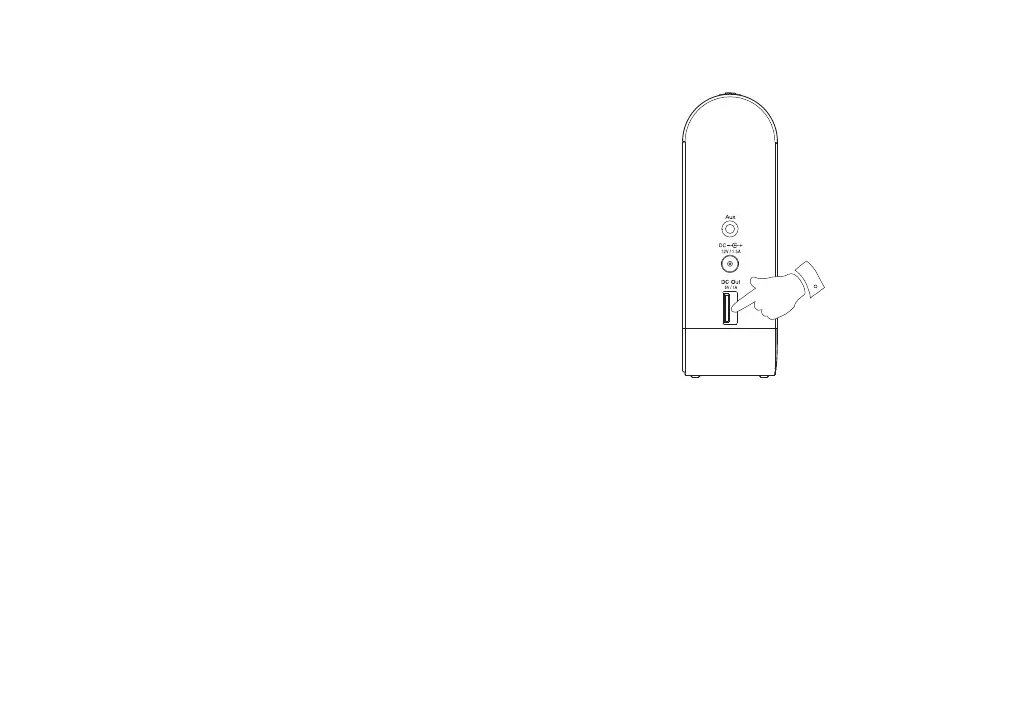
USB socket for iPhone or smartphone charging
Your speaker has a USB socket which can be used for charging an iPhone
or smart phone and similar devices.
Charge time may vary and in some cases may take longer to charge than
when using the manufacturers charging unit supplied with the smart phone.
1. Ensure your speaker is switched on using the Power On / Off button. You
may charge your device when the speaker is powered from the mains
or when the speaker is being used on the battery if there is suffi cient
charge in your speaker.
2. Connect your smart phone to the USB charging socket on the left hand
side of your speaker.
3. Your iPhone or smart phone will begin to charge.
4. Once your iPhone or smart phone has charged remove the USB lead.
5. Your speaker will switch off automatically when your connected device
has been charged, when the USB lead is disconnected, or when the
speaker’s internal battery needs charging. If your speaker is connected
to a device using Bluetooth or if it is in Aux-In mode, then it will not switch
off automatically unless the internal battery needs charging.
2



 To Next Page