5
Operating your Bluetooth Speaker cont.
6. Select ‘Roberts BluPad’ to cause your phone, tablet or PC to pair with your
Bluetooth speaker and to establish a connection. A beep will be heard.
Some Bluetooth devices may require a ‘Passkey’ (an authentication key) in
order to establish a link between devices. A passkey is similar to a password,
although you only need to use the passkey once to establish a link. If your
device asks for a passkey to be able to pair with your speaker then enter a
code of 0000 (four zeroes).
7. Once the connection is established, the blue Bluetooth indicator will remain
lit. You can now begin playing music from your phone, tablet etc.
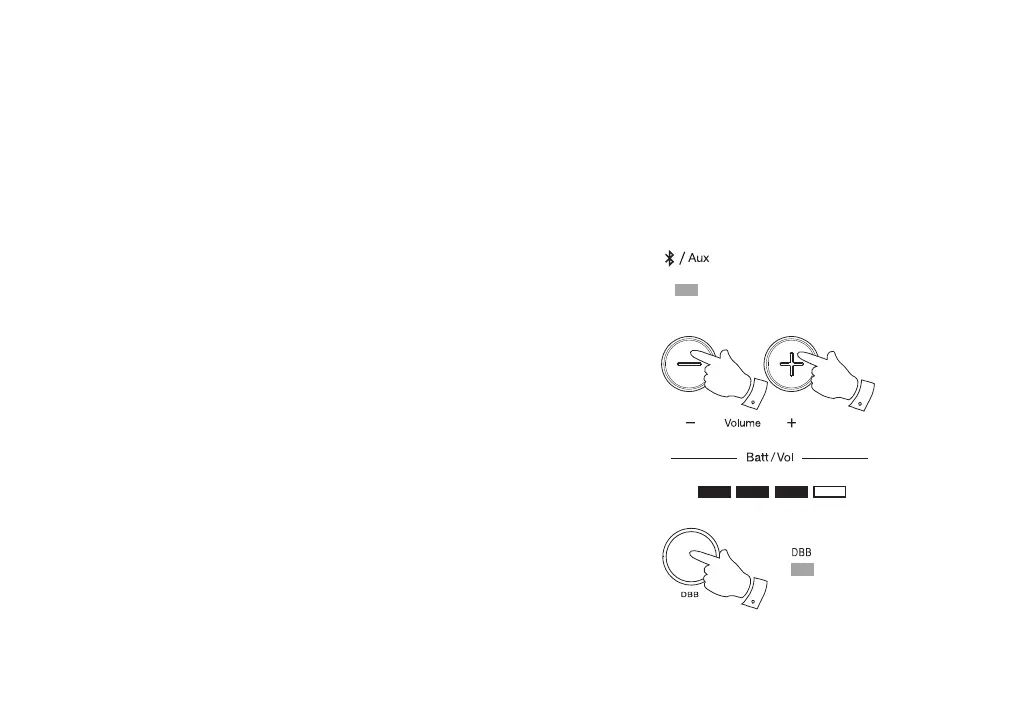
8. Once playing has started adjust the volume to the required setting. The
current volume indicator will light. The volume level indicators will show red
for 3 seconds and then revert to white showing battery level status.
Note: You may need to adjust the volume control on the Bluetooth source
(phone, tablet or PC etc.) or on your Bluetooth speaker.
9. If needed, you may press and release the DBB button to add the dynamic
Bass Boost. When the bass boost has been activated the indicator will show
green. Press and release the DBB button to turn off the bass boost. The
green indicator will go out.
When pairing two Bluetooth enabled devices, for convenience, we recommend
they should be no more than 2 to 3 metres apart. The presence of other functioning
Bluetooth devices during connection may lead to operational diffi culties. Bluetooth
is a short-range radio communication system and generally Bluetooth devices
can communicate with each other clearly within a regular sized room or offi ce.
The reliability of a Bluetooth connection between different rooms will greatly
depend upon the construction of the room and walls etc. Bluetooth communication
range may be substantially reduced if the signal passes through a solid object.
8
8
9



 To Next Page