7
Disconnecting and reconnecting your Bluetooth Speaker
You can normally only have one Bluetooth device connected to the speaker at
any one time although it may be paired with up to 8 Bluetooth enabled devices.
Once you have a Bluetooth enabled device connected to your speaker it cannot be
interrupted by another Bluetooth device unless you choose to break the connection.
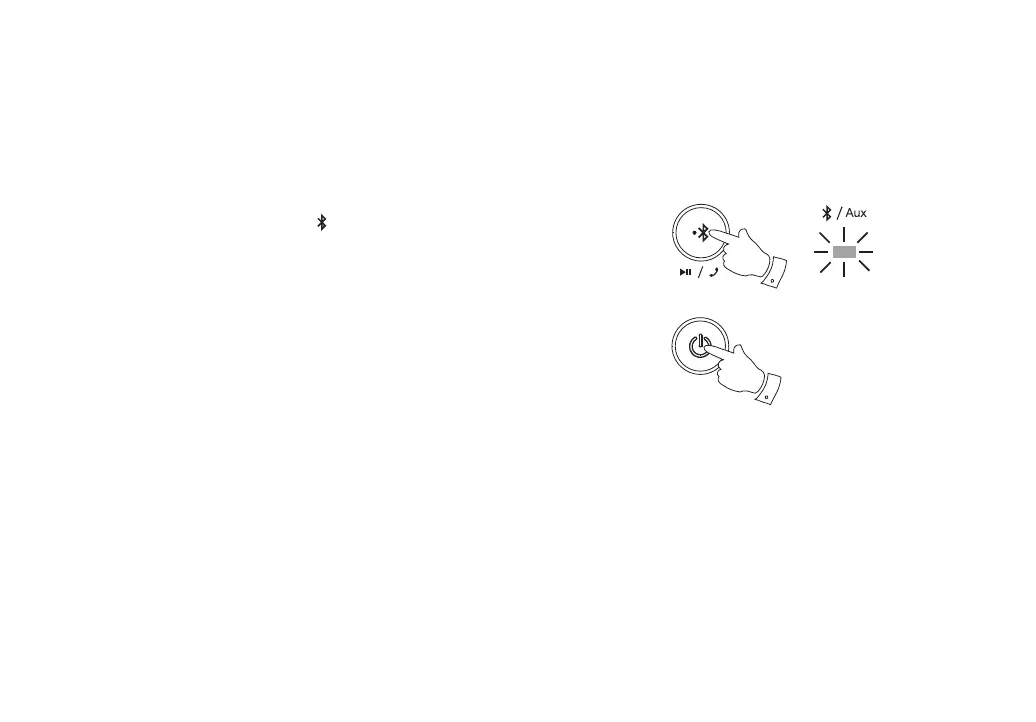
1. To force a disconnection from the speaker press and hold the Bluetooth Pair
button. The speaker will disconnect and will become ‘discoverable’. A beep will
be heard. The blue Bluetooth indicator
will fl ash and you may then pair the
speaker with a new device.
2. A new device may be connected by using steps 5 - 7 on pages 4 and 5.
3. To disable the Bluetooth speaker, press and release the Power On / Off button.
4. To re-enable the speaker press and release the Power On / Off button or use
the NFC feature on your device see page 10.
5. The blue Bluetooth indicator will fl ash and the speaker will attempt to reconnect
to the previously connected device. If needed, go to steps 5 - 7 on pages 4 and
5 to re-establish the connection in your device.
6. If you no longer want your Bluetooth device to be paired with your speaker
you will need to delete the relevant pairing on the device. Please refer to the
user documentation for your phone, tablet, PC etc. for details of how to cancel
current pairings.
7. If not using the speaker for a long time (longer than a few days) we recommend
that the battery is charged and then the unit is switched off. Set the Lock switch
to the lock (Up) position.
1
3,4



 To Next Page