EasyManua.ls Logo

Roberts MP-43 - User Manual

Roberts MP-43
52 pages
Print Icon
To Next Page IconTo Next Page
Loading...
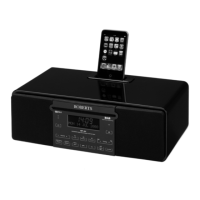
CD/DAB/FM Digital Sound System with dock for iPod
Please read this manual before use
ROBERTS
Sound for Generations
Question and Answer IconNeed help?

Do you have a question about the Roberts MP-43 and is the answer not in the manual?

Roberts MP-43 Specifications

General IconGeneral
BrandRoberts
ModelMP-43
CategoryDocking Station
LanguageEnglish

Summary

Front Controls and Connections

Rear Controls and Connections

Remote Control Functions

First Time System Setup

Operating Your Sound System - DAB

Selecting a Station (DAB)

Guide to choosing and tuning into desired radio stations on the DAB band.

DAB Display Modes

Finding New DAB Stations

Procedure for scanning and adding newly available radio stations on the DAB band.

Manual Tuning - DAB

Operating Your Radio - FM Search Tuning

Manual Tuning - FM

Procedure for manually tuning to FM radio stations by frequency.

FM Display Modes

Presetting Stations

Storing preferred FM and DAB radio stations into memory presets.

Recalling Preset Stations

Retrieving stored radio stations using the preset memory buttons.

Compact Disc Information

Inserting a CD

Guide on how to correctly insert a compact disc into the player.

Playing a CD

Instructions for starting, pausing, and stopping playback of a standard audio CD.

CD Playback Operations

CD Track Programming

MP3;WMA CD Mode

Playing MP3;WMA CDs

Selecting Files on MP3;WMA CDs

iPod Docking

iPod File Playback

Alarms and Sleep Functions

Setting Alarms

Configuring alarm settings, including source, time, and day options.

Setting the Clock Manually

Auxiliary and Line Out Sockets

System Reset Procedure

Related product manuals