13
DAB Radio .
Display modes - DAB cont.
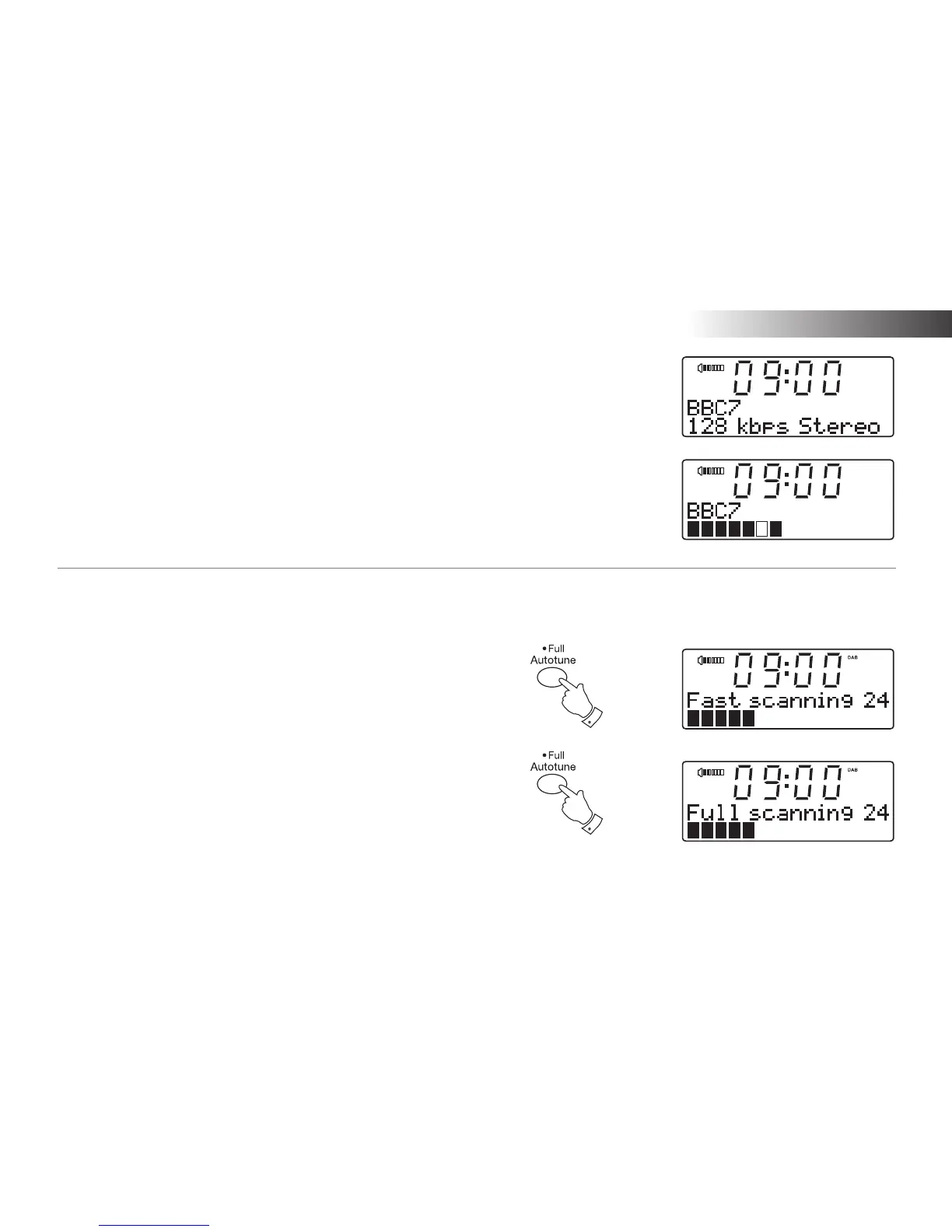
f. Bit rate/audio type Displays the digital bit rate and audio
type for the current DAB radio station.
g. Signal strength Displays signal strength for the station
being listened to. The clear rectangle
shows the minimum required signal
strength for clear DAB reception.
Finding new stations - DAB
As time passes new stations may become available. To find new stations
proceed as follows:-
1. With the unit in DAB mode (see page 10) press and release the
Auto-tune button. The display will then show "Fast scanning". The
radio will perform a scan of the UK DAB frequencies. As new stations
are found the station counter on the right-hand side of the display will
increase and stations will be added to the list.
2. To carry out a full scan of the entire DAB Band III frequencies press
and hold the Auto-tune button for more than 2 seconds and then
release. The display will show "Full scanning". As new stations are
found the station counter on the right-hand side of the display will
increase and stations will be added to the list.
1
2


 To Next Page