15
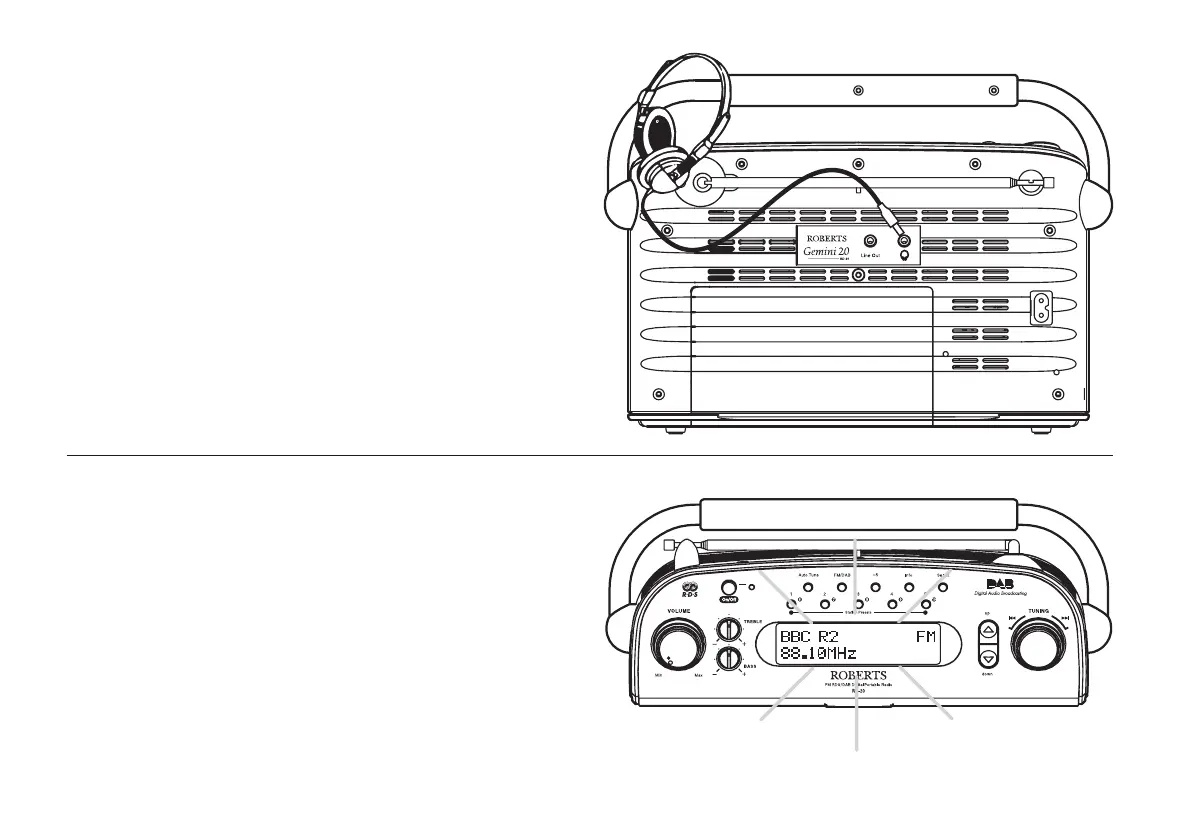
Headphone socket
A 3.5mm Headphone Socket located on the rear of your radio is
provided for use with either headphones or an earpiece. Inserting a plug
automatically mutes the internal loudspeaker.
IMPORTANT: Excessive sound pressure from earphones and head-
phones can cause hearing loss.
Line out socket
A 3.5mm Line out socket located on the rear of your radio is provided
for connecting the audio signal to an external amplifier. Inserting a line
out audio cable will not mute the internal loudspeaker. Set the volume
control to minimum if desired.
Display backlight
1. When your radio is powered by batteries the display backlight will
be switched on for approximately 12 seconds when any button is
pressed.
2. When your radio is powered by AC mains the display backlight will
always be switched on.
RD20 Issue 2.pmd 1/25/2007, 9:53 AM16














 To Next Page