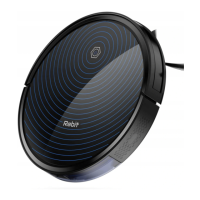
Start-cleaning
Press the start-stop button on the robot or on the remote control to start auto
cleaning mode. During the auto cleaning process, the robot automatically
perceives the missing area and then makes up intelligently.
During the working process, the robot will carry out route planning independently.
Moved by human or remote control, the robot will redesign the route and clean up the
area that have been cleaned.
In order to ensure efficiency, please do not move the robot at will.
The robot will stop for a short time in the process of working(calculating and planning
the areas that need to be made up for cleaning or the path planning).
Please wait patiently, and the time of pauses depends on the complexity of the indoor
environment.
Turn on/ Turn off
When the robot is working, press the start-stop button or button on remote control,
and then the robot will stop working.
If the robot in standby mode for more than 2 minutes, it will go into the inactive state. If
you want to activate it again, press the start-stop button of the robot. It can also be
activated by remote control.
AUTO
AUTO
3
AUTO


 To Next Page