12
“Forward/Reverse” mode uses “Single-click” to make the car go backward. When you move the throttle
stick from forward zone to backward zone, the car will go backward immediately. This mode is usually used for
the Rock Crawler.
2. Drag Brake Force
Set the amount of drag brake applied at neutral throttle to simulate the slight braking effect of a neutral brushed
motor while coasting.
3. Low Voltage Cut-Off Threshold
The function prevents the lithium battery pack from over discharging. The ESC detects the battery’s voltage at
any time, if the voltage is lower than the threshold for 2 seconds, the output power will be cut off, and the red
LED flashes in such a way: “☆-, ☆-, ☆-”.
4. Start Mode / Punch
Select from “Level1” to “Level9” as you like. Level1 has a very soft start effect, while level9 has a very aggressive
start effect. From Level1 to Level9, the start force is increasing. Please note that if you choose “Level7” to
“Level9” mode, you must use good quality battery with powerful discharge ability, otherwise these modes cannot
get the burst start effect as you want. If the motor cannot run smoothly (that means the motor is trembling), it
may caused by the weak discharge ability of the battery, please choose a better one or a softer gear ratio.
5. Max. Brake Force
The ESC provides proportional brake function. The brake force is related to the position of the throttle stick.
Maximum brake force refers to the force when the throttle stick is located at the end point of the backward zone.
A very large brake force can shorten the brake time, but it may damage the gears. The “Disable” option inhibits
the inherent brake function of the speed controller. When this option is selected, the brake function is realized
by a traditional mechanical disc-brake system driven by a servo.
Program the ESC with the SET button on the ESC
• For easier detection, the motor beeps simultaneously when the LED is flashing.
• If "N" (the number) is equal to or greater than 5, we use a long flash to represent "5". For example, the LED flashes
a long flash (and the engine beeps with a long beep at the same time) indicating that you are in the 5th program
level
• If the LED flashes a long flash and a short flash (and the engine emits a long beep and a short beep at the same
time), you are in the 6th program point. A long flash and two short flashes (one long beep and two short beeps)
indicate that you are in the 7th program, and so on.
Program the ESC with the LED program box
The Program Card is optional equipment which needs to be purchased separately. It has 3 digital LEDs to display
the programmable items’ number and the options’ number. (Please refer to the user manual of the program card for
detail info) The user-friendly interface makes the controller
programming easy and fast.
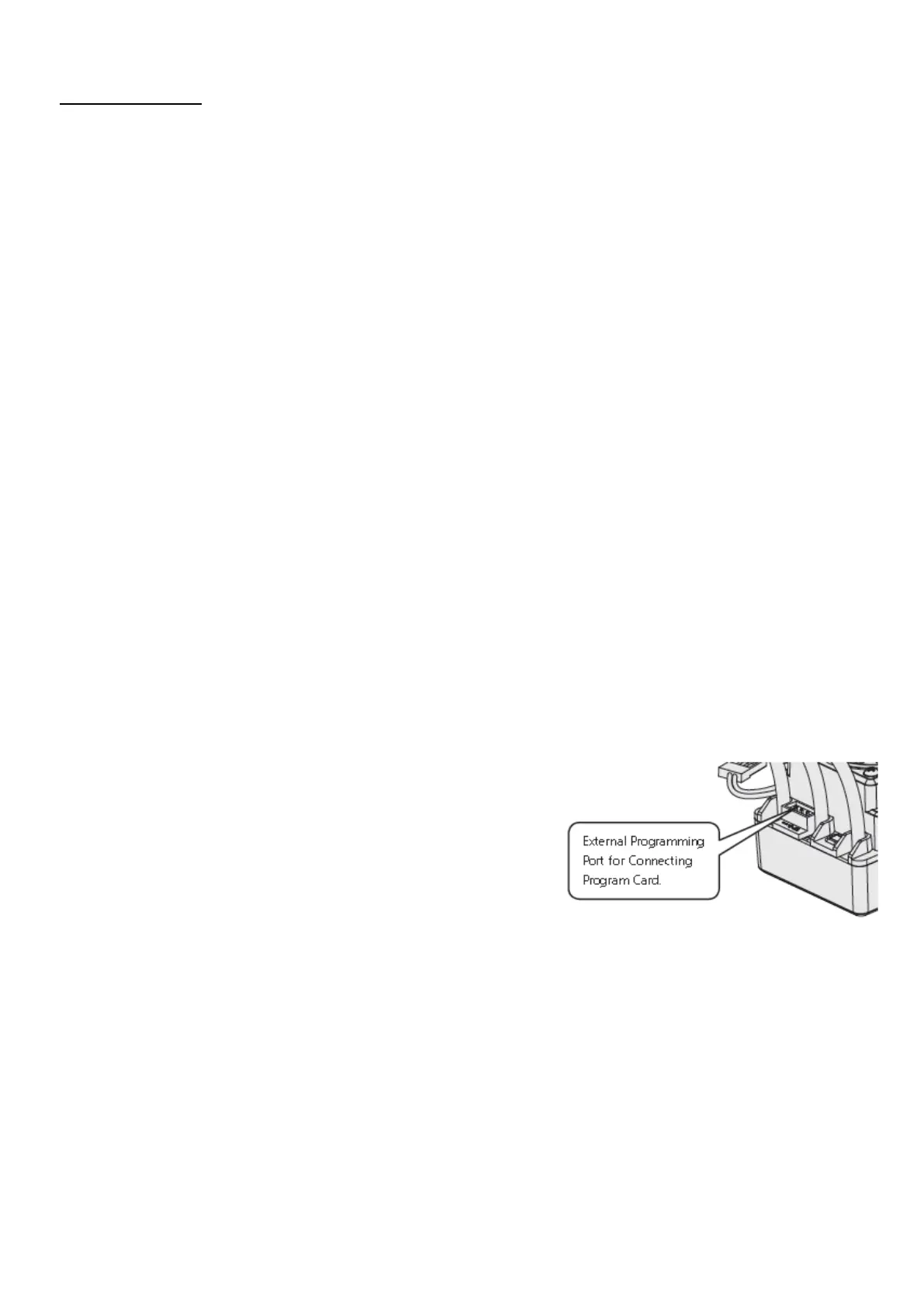
Before programming, you must connect your controller to the
programming card via a white / red / black cable with two JR plugs.
Connect the cable 1 x to the controller and the other end of the "- / + /
S" marked port on the programming card and then turn on the
controller. All programmable values are displayed a few seconds later.
You can change the positions after selection using the "ITEM" and
"VALUE" buttons on the program card.
Press the "OK" button to save all new settings to your controller.


 To Next Page
 Loading...