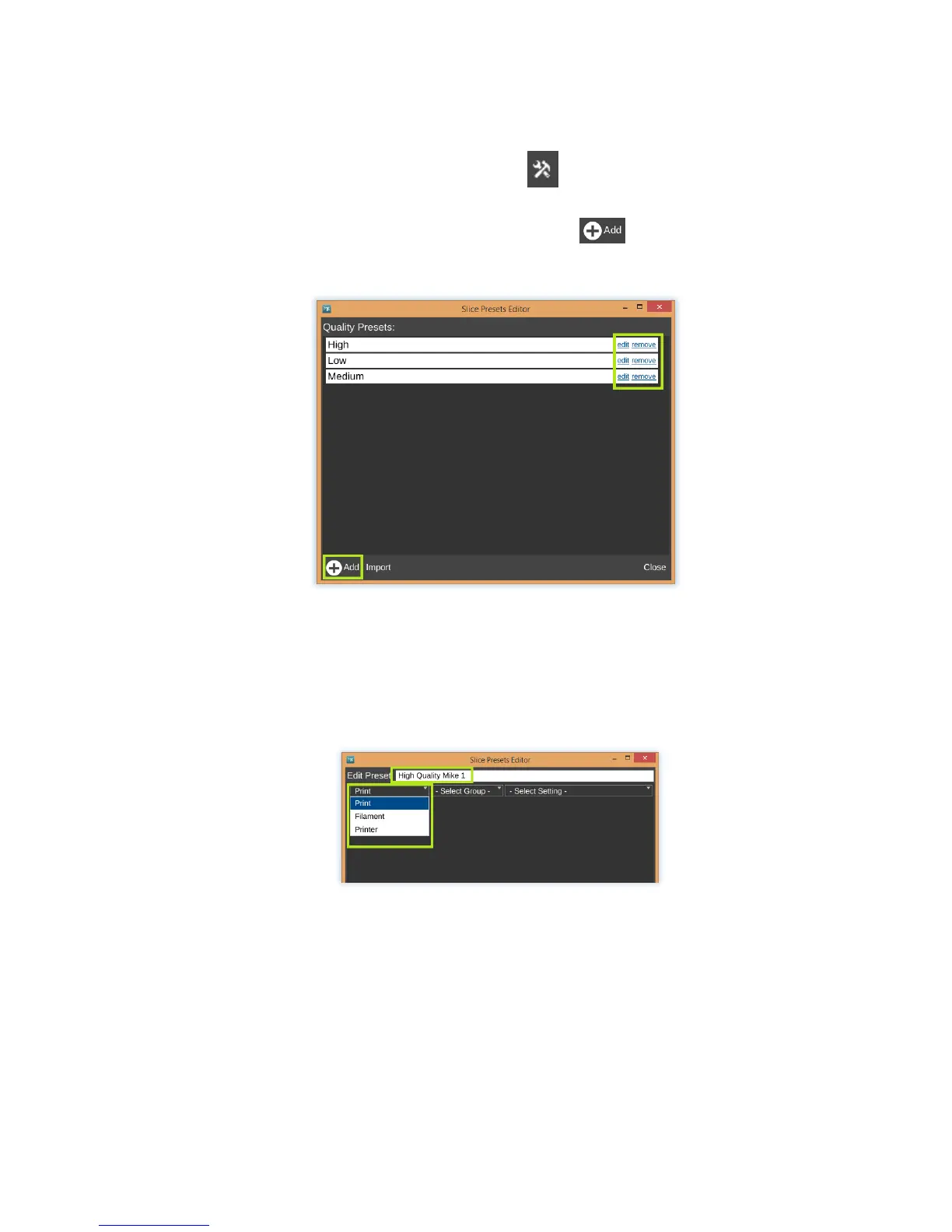
To create your own presets, click the small button next to which ever preset you
would like to customize. This will open the editor. From here you can edit existing
presets or make completely new ones by using the button. (5.3d)
(5.3d)
Now you can edit the name of your preset before starting.
To add a feature to your Preset, pull down the first list and select a category. (5.3e)
(5.3e)
Do the same for group, and setting. Once you find the setting you would like to preset, it
will populate the preset list as seen below. (5.3f)


 To Next Page