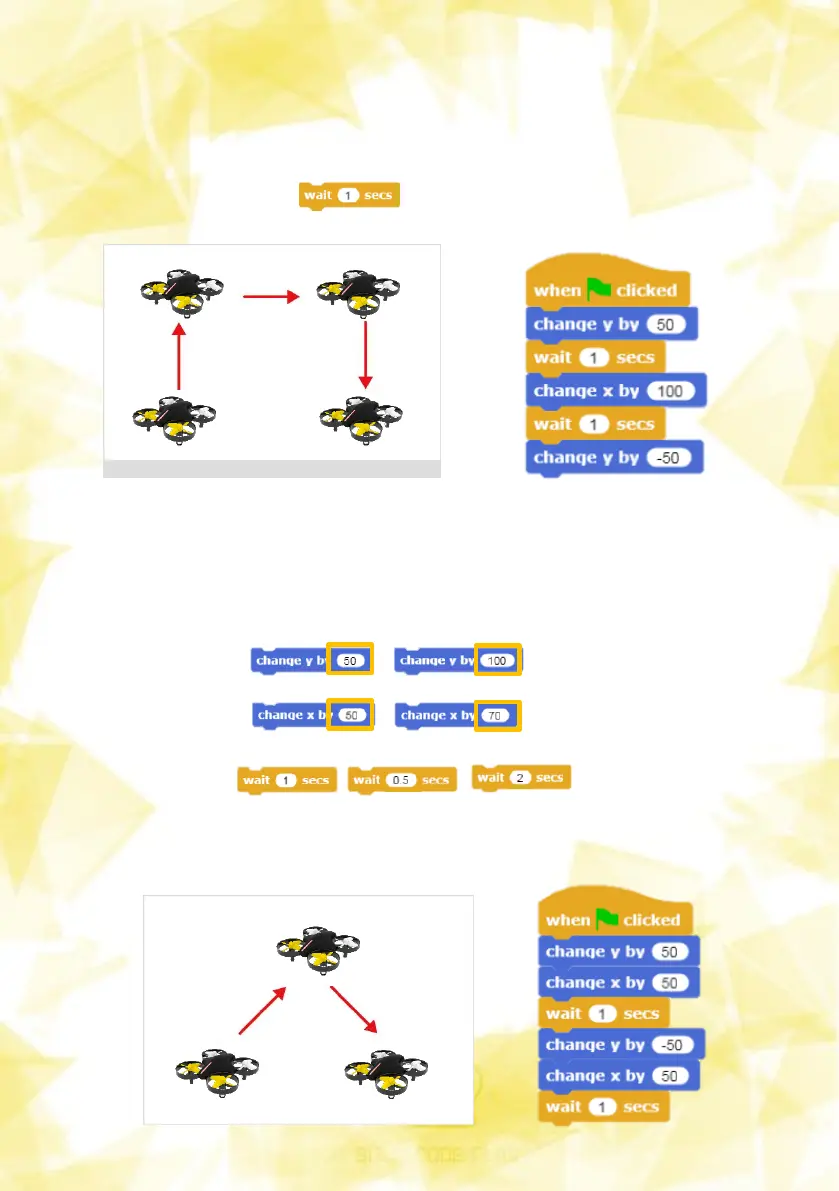
To change the distance of the drone shown in Figure 1, the blocks shown
in Figure 3 are: Change the x, y coordinate values. Similarly, the amount
of time to wait is entered for the desired time. can be changed into
If the drone is to move as shown in Figure 1, it can be coded using the
coordinate values and (Delay) as shown in Figure 2.
그림3
13
그림2
3) Move drones (take-off and landing)
그림1


 To Next Page