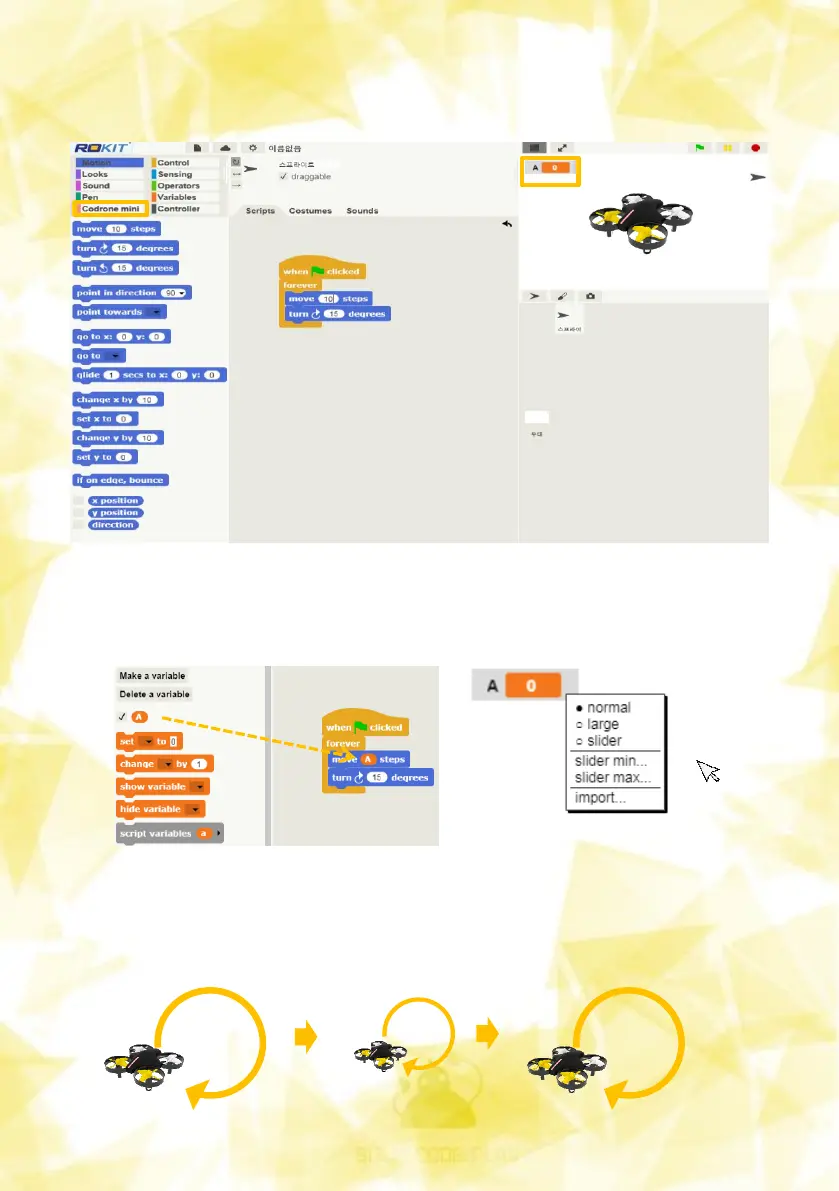
Drag the A-parameter block created on the left to the part where you want
to change it.
Right-click the variable that appears on the stage to select the slider.
15
And after you've run the stage, you can move the A variable slider on the
stage with your mouse, and you can change the variable in real time. You
can see that the rotating radius of the drone has become larger and
smaller as the value changes.
Creating a variable named A creates a variable block group as shown
below and creates a variable on the stage.


 To Next Page