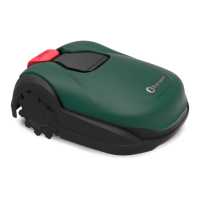
The Robomow Robotic Mower, specifically models RKS 800 and RKS 1500, is an autonomous robotic mower designed for residential lawn care. It is powered by a rechargeable lithium-ion battery and operates in conjunction with a Charging Station and a pre-installed Perimeter wire.
Function Description:
The mower independently departs from its Charging Station, mows the lawn according to a predetermined schedule, and returns for charging. The Perimeter wire acts as a "virtual wall," defining the boundaries of the mowing area and outlining objects to be avoided. The mower moves randomly within its designated working area, ensuring complete coverage and a consistent cut. It also follows the Perimeter wire to mow the edges of the lawn for a perfect finish. The mower includes Bluetooth and Wi-Fi radio modules, allowing for remote operation and control via a mobile application.
Important Technical Specifications:
- Power Source: Rechargeable lithium-ion battery.
- Boundaries: Defined by a pre-installed Perimeter wire connected to the Charging Station.
- Connectivity: Bluetooth and Wi-Fi radio modules for mobile app control.
- Mowing Height: Adjustable from 20-70 mm (0.8-2.8 in) via a knob.
- Slope Capability: Can handle slopes up to 35% (20°) within the lawn. Slopes greater than 20% (11°) along the edge of the lawn should be excluded to prevent slipping.
- Obstacle Clearance: Hard obstacles higher than 15 cm (6 in) can be left unprotected. Soft obstacles (flower beds, ponds, small trees) and ponds require Perimeter islands for protection. A minimum distance of 1.2 m (4 ft) should be maintained between islands or between an island and the Perimeter wire.
- Narrow Passages: Can navigate narrow passages between 1-2 m (3-6 ft) wide when the wires are installed in the middle with RoboRuler distance 1 and corners are broken to 45 degrees. Passages greater than 2 m (6.5 ft) are easily traversable.
- Charging Station Requirements: Minimum 1.5 m (5 ft) of straight wire in front and 0.5 m (1.6 ft) behind for smooth docking. Should be placed on a flat, even surface, away from corners, in the largest or "Main Zone," and in a shady spot. Must be within reach of a power outlet and home Wi-Fi network.
- Power Supply: Must be connected to a weather-protected circuit with a residual current device (RCD) not exceeding 30 mA tripping current. Use only original power supply units.
- Safety Features:
- STOP/Control Carrying Handle: Immediately stops the mower and blades (within 2 seconds). Also serves as a carrying handle.
- Disabling Key: Prevents operation when removed. Must be removed before lifting, servicing, or clearing blockages.
- Child Lock: Prevents unintended operation by requiring a specific button sequence on the user interface.
- Anti-Theft Protection: Code-protected disable function (4-digit code via mobile app for RKS models).
- Lift Sensor: Stops mower and blades (within 2 seconds) if lifted.
- Tilt Sensor: Stops mower and blades (within 2 seconds) if tilted vertically.
- Obstruction Sensor: Stops movement and blades (within 2 seconds) upon collision, then reverses and resumes mowing in a different direction.
- Perimeter Wire Signal: Mower stops if the Perimeter wire signal is turned off.
- Battery Removal: Requires removing the disabling key, turning off the mower, placing it upside down, using a battery door key, turning the key counter-clockwise 90° and pulling, then clockwise 45° to open the door, squeezing the locking tab, and sliding the battery pack out.
Usage Features:
- Mobile Application Control: Allows control, setting, and operation from anywhere with internet coverage. Features include changing settings, viewing mowing history, sending the mower to mow, stopping operations, and sending it to the Charging Station. Push notifications are available for mower attention alerts.
- Automatic Operation: The mower calculates a suggested mowing plan based on lawn size. Users can approve, modify, or disable this plan. Daily working windows can be split, and intensive mowing mode (7 days at max capacity) can be enabled to catch up on grass growth.
- Manual Operation: Allows starting a mowing operation regardless of the schedule, with or without edging. Users can select specific zones to mow.
- Child Protection: Can be activated to prevent unauthorized use.
- Anti-Theft Protection: Can be activated with a personal security code to prevent unauthorized operation.
- Islands: Can be set up in the app for large obstacles (ponds, flower beds) to help the mower find its Charging Station more efficiently.
- Sub-zones: Allows for defining and managing multiple mowing zones connected by narrow passages.
- Separated Zones: For lawns with disconnected areas (e.g., separated by a fence), the mower must be manually transported to and from these zones. The "Separated Zone" switch in the app must be 'ON' to enable mowing in these areas.
- Near Wire Follow: Feature to reduce wheel tracks by allowing the mower to travel at various distances from the wire on each trip, instead of always being centered directly over it.
- Signal Type Selection: Supports 3 signal types to avoid interference from other robotic mowers in adjacent lawns.
Maintenance Features:
- Regular Inspection: Every couple of weeks, inspect the underside of the mower for grass build-up on wheels, guard wires, and mowing deck. Scrape off debris.
- Perimeter Wire Check: Ensure the Perimeter wire is tight to the ground and add pegs if loose. Adjust wire placement for seasonal lawn changes.
- Charging Station Cleaning: Clean mud and debris from the Charging Station for proper docking.
- Blade Inspection: Mower blades are sharp and should be inspected for damage (wear, bends, cracks). Replace with original equipment manufacturer (O.E.M.) blades only. Wear heavy work gloves during blade changes.
- Cleaning: Do not use a high-pressure power washer. A low-pressure nozzle on a garden hose can be used for regular cleaning.
- Winter Storage (Mower): Fully charge, turn off, clean, and store in dry indoor conditions above 0°C. Remove the disabling device.
- Winter Storage (Charging Station): Can be left on the lawn. Disconnect the Power supply from the mains and the Perimeter wire from the Charging Station.
- Annual Service: Recommended to take the mower to a certified dealer for service before or after winter storage. Service may include cleaning, checking/replacing worn parts (blades, wheels), testing functions and safety components, battery check, and software updates.
- Battery Disposal: Observe proper disposal laws and regulations. Battery must be removed from the device before disposal (refer to Annex A for instructions). Do not dispose of in fire or unsorted municipal waste.

 Need help?
 General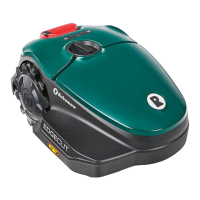

 To Next Page