26
"︿" and "﹀" can be used to adjust the gears during the cruise control process.
Dial the joystick to control the bending during the cruise control process.
After entering the cruise control mode, if the cruise control mode is not started
within 5s, the cruise control mode will be automatically exited, and the voice
prompt "With wait timeout, the cruise control mode has been automatically exited"
will be given.
( 6 ) Gear display (as shown in Figure 4.3.3.1)
Press "︿" to add a gear (Up to 5 gears)
Press "﹀" to reduce one gear (minimum 1 gear)
The above functions can also be realized on the App (the App can be adjusted in
different gears).
The Electric Wheelchair upper controller screen displays the speed gear.
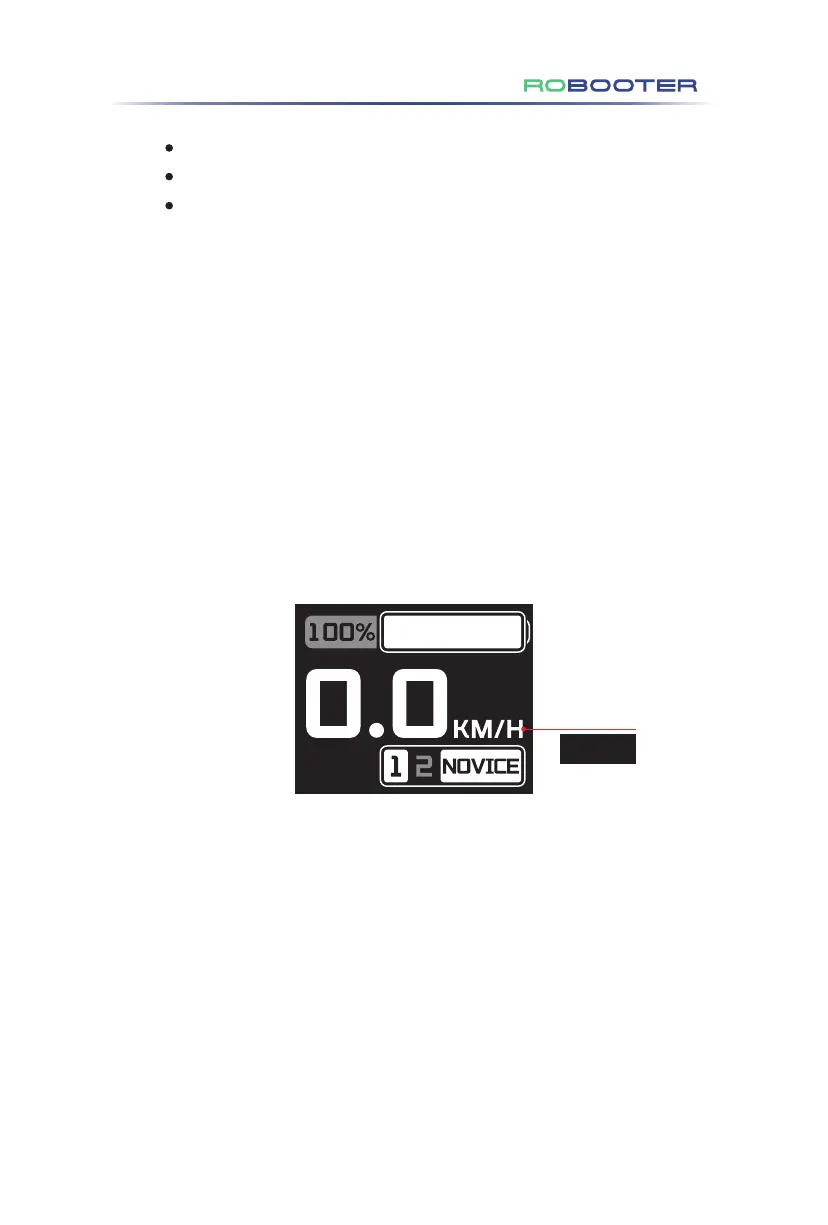
(7) Novice mode display (as shown in Figure 4.3.3.2)
Click Fn to enter the novice mode, and the screen will display gear 1, gear 2 and the
NOVICE icon, accompanied by the voice prompt of "Enter the novice mode". Speed
gear limit 2 (the first and second gears are optional).
Figure 4.3.3.2
4.Use of the Electric Wheelchair
MPH


 To Next Page
 Loading...