EasyManua.ls Logo

Roborock EWFD01LRR - User Manual

Roborock EWFD01LRR
21 pages
Print Icon
To Next Page IconTo Next Page
Loading...
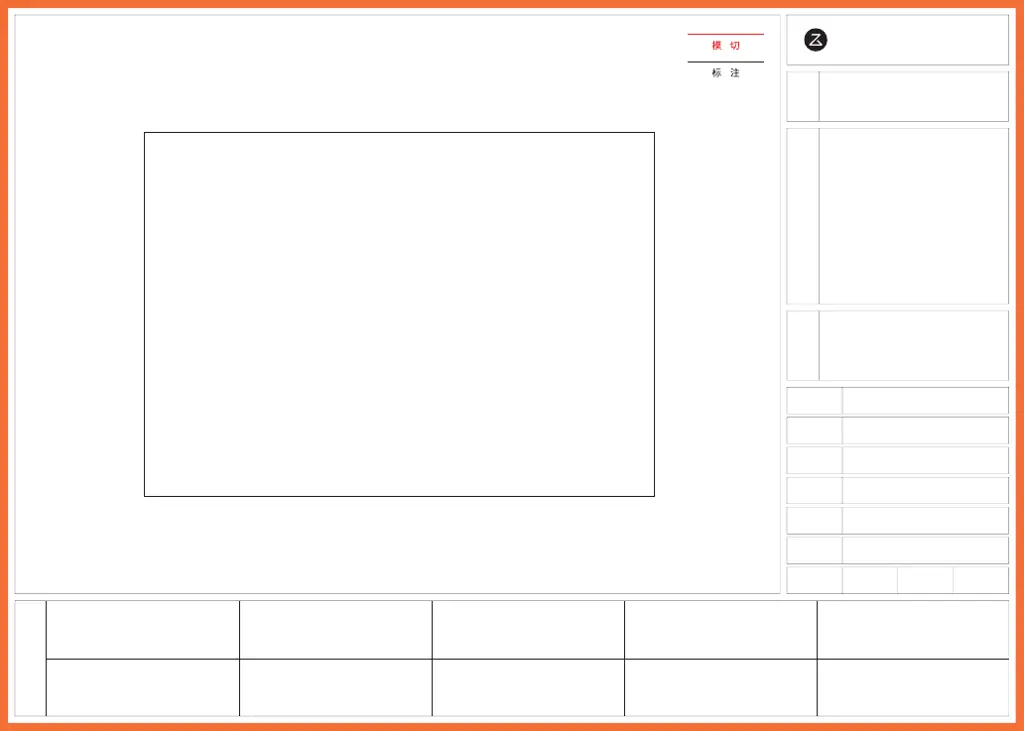
北京石头世纪科技股份有限公司
图纸
提供
单位
项目名称 Onyx 3 说明书 (FCC )
印刷内容含料号二维码
4.03.0411
V3.0
2021.12.17
许戈
何亚健
料号
版本号
设计时间
平面设计师
包装工程师
比例 1:1 单位 mm
材质:金东太空梭 105g 哑粉,骑钉
成品尺寸:182*130mm
页数:20P
参考色:PANTONE Cool Gray 11 C
PANTONE 185 C
尺寸偏差:±0.5mm
印刷偏位:±1mm
版本号:V2.0
修改点:更新为英文版
修改人:许戈
版本号:
修改点:
修改人:
版本号:
修改点:
修改人:
版本号:
修改点:
修改人:
版本号:
修改点:
修改人:
版本号:
修改点:
修改人:
版本号:V3.0
修改点:二轮评审、P9 "Powered O󽗈"
修改人:许戈
版本号:
修改点:
修改人:
版本号:
修改点:
修改人:
版本号:
修改点:
修改人:
石头科技产品包装图纸
封面示意图
成品尺寸:182*130mm

Questions and Answers

  • J
    johnsonheatherAug 17, 2025
    Why is the Roborock auto-emptying not working?
    • J
      janice45Aug 17, 2025
      If the auto-emptying function on your Roborock is not working, consider the following: 1. Check your in-app settings to ensure auto-emptying is enabled. 2. Verify that the dock dustbin is installed correctly. 3. Note that auto-emptying will not occur if the robot returns to the dock without cleaning. 4. The robot will not auto-empty if it returns to the dock in Do Not Disturb (DND) mode. Adjust cleaning or DND duration, or start emptying manually.
  • A
    Alexander BowmanAug 20, 2025
    Why is the mop not washed on my Roborock?
    • S
      sarah83Aug 20, 2025
      The mop may not be washed on your Roborock for several reasons. The mop will not be washed if it is not used. The robot will not return to the dock for mop washing if it does not start from the dock or no dock is found on the app map. Check tank placement and refill or empty as required. Also, verify that the water filter has been correctly installed.
  • H
    hillhollyAug 22, 2025
    What to do if Roborock has reduced mop washing performance?
    • T
      Tracy ChambersAug 22, 2025
      If your Roborock is experiencing reduced mop washing performance: 1. Ensure the mop is attached properly by reinstalling it. 2. If the floor is particularly dirty, change the mop washing mode to "Deep" in the app for better cleaning.
  • A
    Ashley SmithAug 26, 2025
    How to improve reduced mop washing performance on Roborock Docking Station?
    • M
      Maria VanceAug 26, 2025
      If you're experiencing reduced mop washing performance, make sure the mop is attached properly. Reinstall it if necessary. If the floor is particularly dirty, try changing the mop washing mode to "Deep" in the app for better cleaning.
  • O
    oharrisAug 27, 2025
    What to do if the Roborock EWFD01LRR Docking Station LED status indicator light is steady red?
    • E
      eddie83Aug 28, 2025
      If the LED status indicator light on your Roborock Docking Station is steady red, there are several possible reasons. First, ensure that the dustbin or dust bag is correctly installed. Second, the fan may not be operating properly, possibly due to overheating; unplug the power cable and try again after 30 minutes. Third, check that your local voltage meets the requirements listed on the dock. Fourth, check the clean water tank placement or refill it if needed. Fifth, verify the dirty water tank placement or empty it if necessary. Finally, make sure the water filter has been correctly installed.
  • J
    Jennifer TurnerAug 30, 2025
    What to do if Roborock has reduced emptying performance or unusual noise when emptying?
    • C
      Christopher JacobsAug 30, 2025
      If you notice reduced emptying performance or unusual noise during emptying with your Roborock, try these steps: 1. Ensure the robot dustbin has been replaced with the auto-empty dustbin. 2. Remove the plate covering the air inlet. 3. Check that the main brush or main brush cover is properly installed. 4. Inspect the filter, air duct, suction inlet, air inlet, or dustbin for blockages and clean them.
  • M
    Megan CruzSep 1, 2025
    How to resolve Roborock Robot voice alert: Error 42. Maintenance brush jammed?
    • M
      Mary EvansSep 1, 2025
      If your Roborock robot provides a voice alert indicating Error 42, meaning the maintenance brush is jammed, try the following: If the brush stops at the left side, it may be jammed, remove any items jamming it. If the brush stops at the right side, the filter may be blocked or is not installed in place, clean and correct installation.
  • C
    cmcmahonSep 4, 2025
    Why is auto-emptying not working on my Roborock Docking Station?
    • K
      Kathleen GloverSep 4, 2025
      Auto-emptying may be disabled in the app settings. Check the settings to ensure it is enabled. Also, make sure the dock dustbin is correctly installed. Auto-emptying won't occur if the robot returns to the dock without cleaning or if it's in Do Not Disturb (DND) mode. In the latter case, adjust the cleaning or DND duration, or start emptying manually.
  • A
    Ashley MorrisSep 6, 2025
    What to do if the LED status indicator light is steady red on Roborock EWFD01LRR?
    • S
      Sonia SmithSep 6, 2025
      The LED status indicator light may be steady red due to several reasons. First, ensure that the dustbin or dust bag is correctly installed. Second, verify that the local voltage meets the requirements listed on the dock. Third, check the clean water tank placement and refill if needed. Fourth, check the dirty water tank placement and empty if necessary. Finally, confirm that the water filter has been correctly installed.
  • W
    Wesley ShortSep 9, 2025
    Why is there reduced emptying performance or unusual noise when emptying Roborock Docking Station?
    • N
      Nancy PierceSep 9, 2025
      Reduced emptying performance or unusual noise during emptying can occur for several reasons. Ensure the robot dustbin has been replaced with the auto-empty dustbin and that the plate covering the air inlet has been removed. Also, check that the main brush and main brush cover are properly installed. A blockage in the filter, air duct, suction inlet, air inlet, or dustbin could also be the cause; clean these components to remove any obstructions.

Roborock EWFD01LRR Specifications

General IconGeneral
BrandRoborock
ModelEWFD01LRR
CategoryDocking Station
LanguageEnglish