EasyManua.ls Logo

Robosapien 8081 - User Manual

Robosapien 8081
19 pages
Print Icon
To Next Page IconTo Next Page
Loading...
P.1
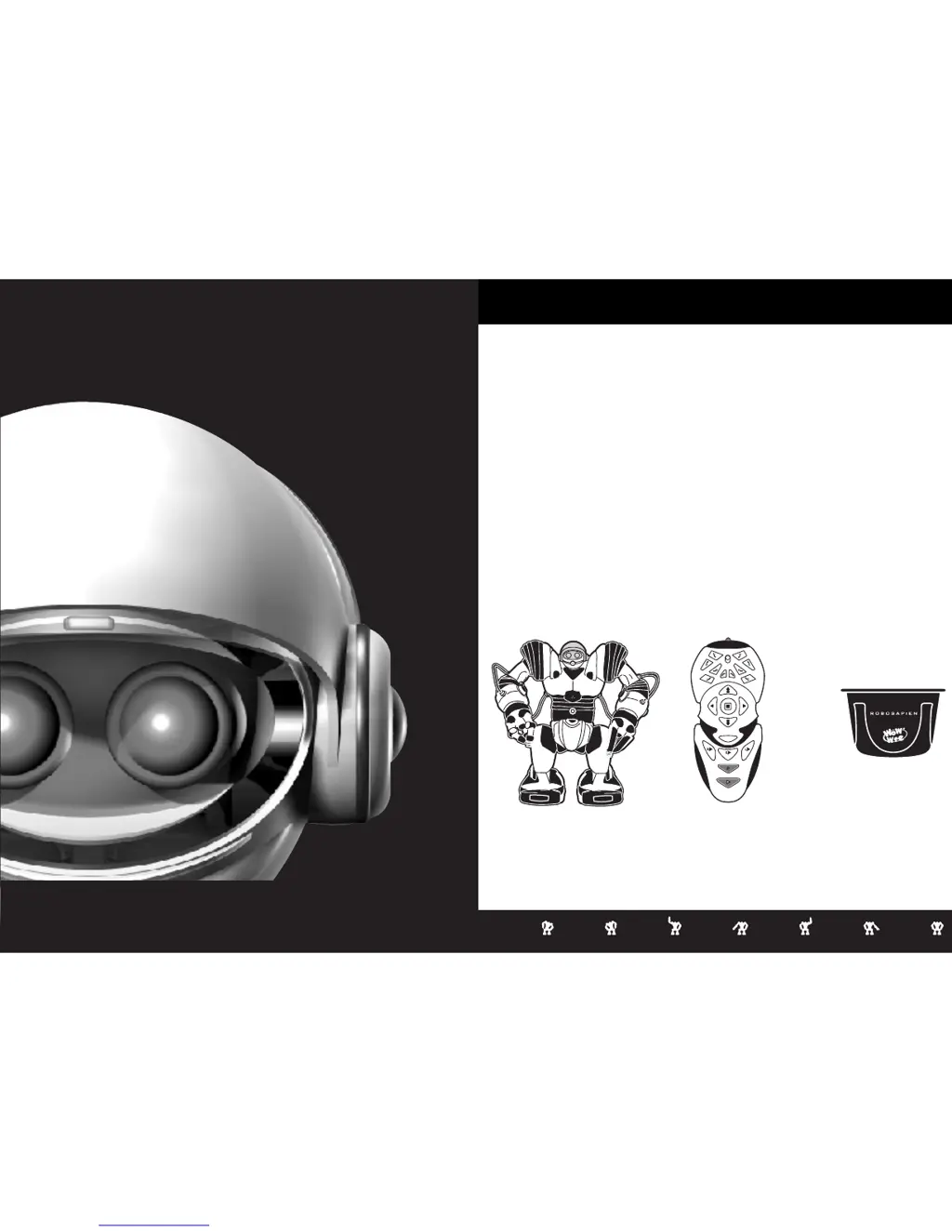
Product Contents:
Robosapien
Remote
Controller
Check to make sure you have the following:
(1) Robosapien
(1) Infra Red Remote Controller
(1) Pick Up Accessory
Pick Up Accessory
Introduction
Congratulations on choosing the Robosapien, a sophisticated fusion of
technology and personality. With a full range of dynamic motion, interactive
sensors and a unique personality, Robosapien is more than a mechanical
companion, he's a multi-functional, thinking, feeling robot with attitude!
Explore Robosapien's vast array of functions and programs. Mold his behavior
any way you like.
Be sure to read this manual carefully for a complete understanding of the many
features of your new robot buddy.
For more information visit: www.robosapienonline.com
S
W
E
E
P
T
HU
M
P
SW
E
E
P
TH
U
MP
HI
G
H
5
SELECT
P
I
C
K
U
P
STRIKE 2
SLEEP
STRIKE 2
LISTEN
S
T
R
I
K
E
3
S
T
R
IK
E
3
L
E
F
T
D
A
N
C
E
SO
N
I
C
R
I
G
HT
S
T
R
I
K
E
1
L
EAN
ST
RI
K
E
1
LE
A
N
B
U
R
P
T
H
R
O
W
W
H
I
S
T
L
E
TH
R
O
W
T
AL
K
B
A
CK
PI
CK
U
P
S
T
E
P
B
U
L
L
D
O
Z
E
R
O
O
P
S
B
A
C
K
S
T
E
P
T
U
R
N
S
T
E
P
T
U
R
N
S
T
E
P
R
E
S
E
T
R
O
A
R
D
E
M
O
1
D
E
M
O
2
A
L
L
D
E
M
O
E
X
E
C
U
T
E
P
O
W
E
R
O
F
F
W
A
K
E
U
P
S
W
E
E
P
T
HU
M
P
SW
E
E
P
TH
U
MP
HI
G
H
5
SELECT
P
I
C
K
U
P
STRIKE 2
SLEEP
STRIKE 2
LISTEN
S
T
R
I
K
E
3
S
T
R
IK
E
3
L
E
F
T
D
A
N
C
E
SO
N
I
C
R
I
G
HT
S
T
R
I
K
E
1
L
EAN
ST
RI
K
E
1
LE
A
N
B
U
R
P
T
H
R
O
W
W
H
I
S
T
L
E
TH
R
O
W
T
AL
K
B
A
CK
PI
CK
U
P
S
T
E
P
B
U
L
L
D
O
Z
E
R
O
O
P
S
B
A
C
K
S
T
E
P
T
U
R
N
S
T
E
P
T
U
R
N
S
T
E
P
R
E
S
E
T
R
O
A
R
D
E
M
O
1
D
E
M
O
2
A
L
L
D
E
M
O
E
X
E
C
U
T
E
P
O
W
E
R
O
F
F
W
A
K
E
U
P
ITEM NO. 8081
AGES: 6+
WWW.ROBOSAPIENONLINE.COM
USER'S MANUAL
A Fusion of Technology and PersonalityA Fusion of Technology and Personality
ROBOSAPIEN

Questions and Answers

  • C
    Christopher GuzmanJul 26, 2025
    Why is my Robosapien 8081 Toy not responding to the controller?
    • J
      jill04Jul 26, 2025
      Your Robosapien Toy might not be responding to the controller for several reasons. Here are a few things to try: * Ensure the robot is upright and there are no obstructions near its feet or hand sensors. Then, press the ON/OFF button until you hear the power-up sequence. * Maintain a clear line of sight between the remote and the robot's head, staying within 12 feet. * Check the batteries are correctly inserted and making good contact. * If the robot is beeping, it may be in PROGRAM MODE. Press the PROGRAM PLAY button, then STOP. * Certain lighting conditions can interfere with the signal. Try lowering the robot's sun visor or moving it to a different location. * The robot will ignore remote control signals during his wakeup routine. Wait until the wakeup routine finishes.
  • W
    wwilliamsAug 3, 2025
    What to do if my Robosapien 8081 is behaving erratically?
    • D
      Dylan MezaAug 3, 2025
      If your Robosapien Toy is behaving erratically, here are a few things you can try: * Press the STOP button twice, or turn the Robosapien off and then back on. * Replace the batteries in the feet with fresh 'D' batteries, as low battery power can cause erratic behavior. * There might be interference with the Infra-Red signals. Try moving the controller closer to the robot or moving the robot to a different location with different lighting.
  • P
    Patrick MunozAug 11, 2025
    Why does my Robosapien Toy have trouble walking?
    • B
      Brian EvansAug 11, 2025
      If your Robosapien Toy is having trouble walking, consider these possibilities: * The hand or feet sensors may be detecting objects. Use the BULLDOZER walking mode (press SELECT twice, then BULLDOZER) or SELECT-STEP or SELECT-BACKSTEP to move the robot away from the obstruction. * The robot may have difficulty walking on thick carpets or slippery surfaces. Use it on flat, level surfaces for best results. * There might be something stuck on the robot's feet. Check for any obstructions preventing free movement of the footpads, legs, or hands.
  • M
    Michael WellsAug 18, 2025
    What to do if Robosapien 8081 Toy does not detect sounds in Listen Mode?
    • J
      Jennifer ChoiAug 18, 2025
      If your Robosapien Toy is not detecting sounds in Listen Mode, ensure you wait two seconds after LISTEN MODE activates before making sounds or tapping the robot's body. Also, the Robosapien does not hear sounds that are soft or low-pitched. Make a sharp sound (e.g., clapping your hands), or tap Robosapien’s body.

Summary

Robosapien Battery Requirements and Installation

Important Battery Information

Crucial notes on battery handling, disposal, mixing types, and polarity for safe operation.

Robosapien Operation Overview

Operating the Robot and Controller

Explains how to power on, navigate command levels, and use RED, GREEN, ORANGE commands.

Red Commands - Upper Controller

Red Commands - Middle & Lower Body

Movement, Stopping, and Programming Basics

Covers walking, turning, stopping actions, and the basics of sensor and master programming execution.

Programming Mode - Touch Sensors

Programmable Sensor Types

Introduces Right, Left, Sonic Sensor Programs and Master Program.

Touch Sensor Programming

How to program sequences triggered by touch sensors on fingers, toes, and heels.

Right & Left Sensor Programs

Step-by-step guide for programming Right and Left Sensor routines.

Programming Mode - Sonic Sensor

Sonic Sensor Programming

How to program sequences triggered by sound or touch using the sonic sensor.

Programming Mode - Master Command

Troubleshooting Guide

Common Problems and Solutions

Provides solutions for common issues such as no response, walking problems, and erratic behavior.

Robosapien 8081 Specifications

General IconGeneral
BrandRobosapien
Model8081
CategoryToy
LanguageEnglish