35
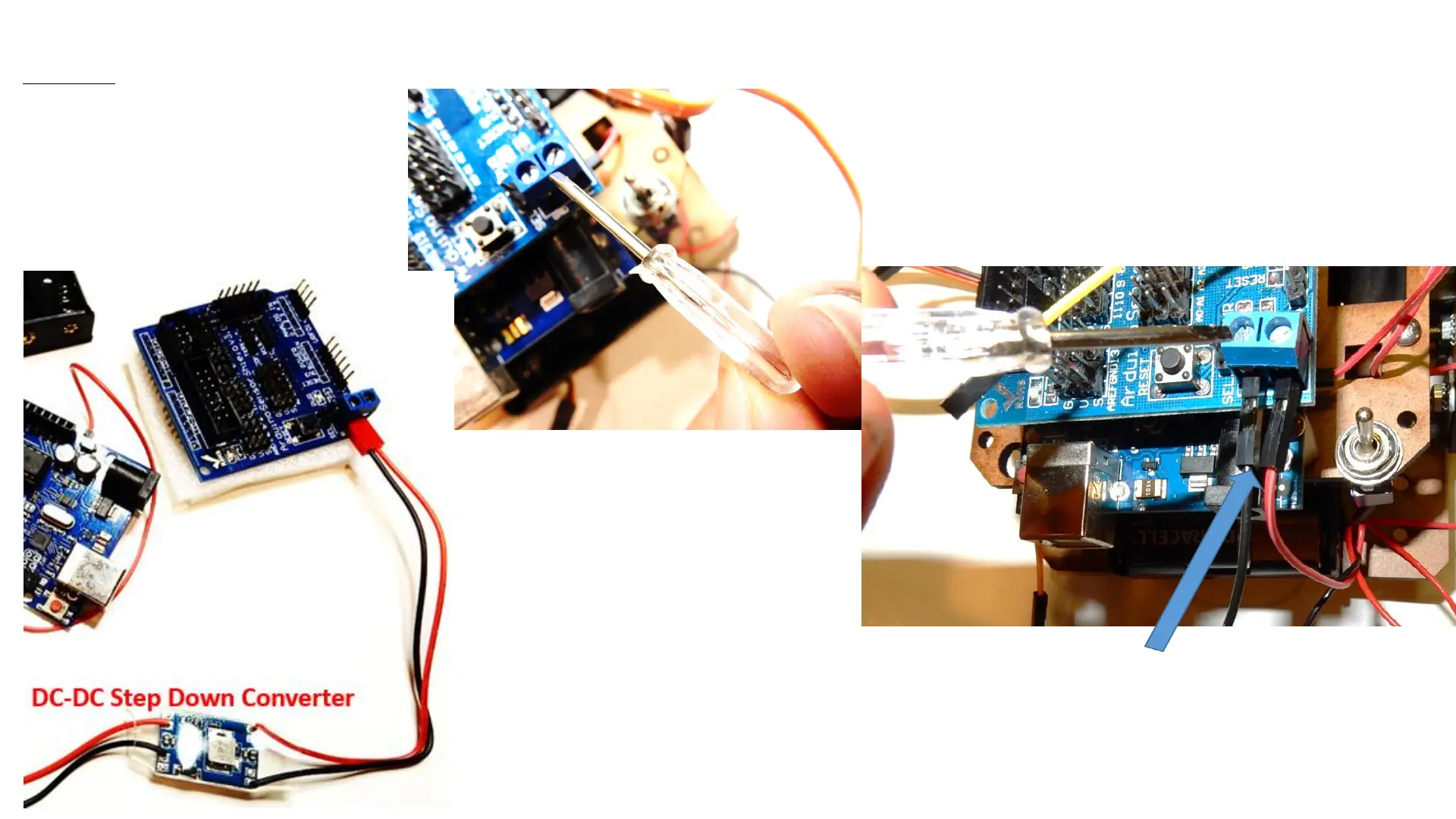
Connecting battery cables to the Arduino Sensor Shield
Connect black Dupont male wire from battery
pack on the side labeled GND and the red
Dupont male wire from the battery on the
right side labeled VCC.
You can install the last battery now!
Parts
- Battery pack
- Sensor Shield V5.0
- Flat/or star
screwdriver
Using the small flat screwdriver
loosen the screw terminal
connectors and insert wires then
screw back in to secure. If
robot turns ON just turn the
switch to the OFF position
Sensor shield
screw terminals



 To Next Page