RT-7690-2 User Guide
10
3. To turn on the detector, press the Coarse/Fine select button
. On startup, the laser detector
resolution is coarse, with the beeper on. The coarse resolution
and beeper icons
are displayed on the LCD. Continue pressing the Coarse/Fine button
to cycle through the
following options:
X
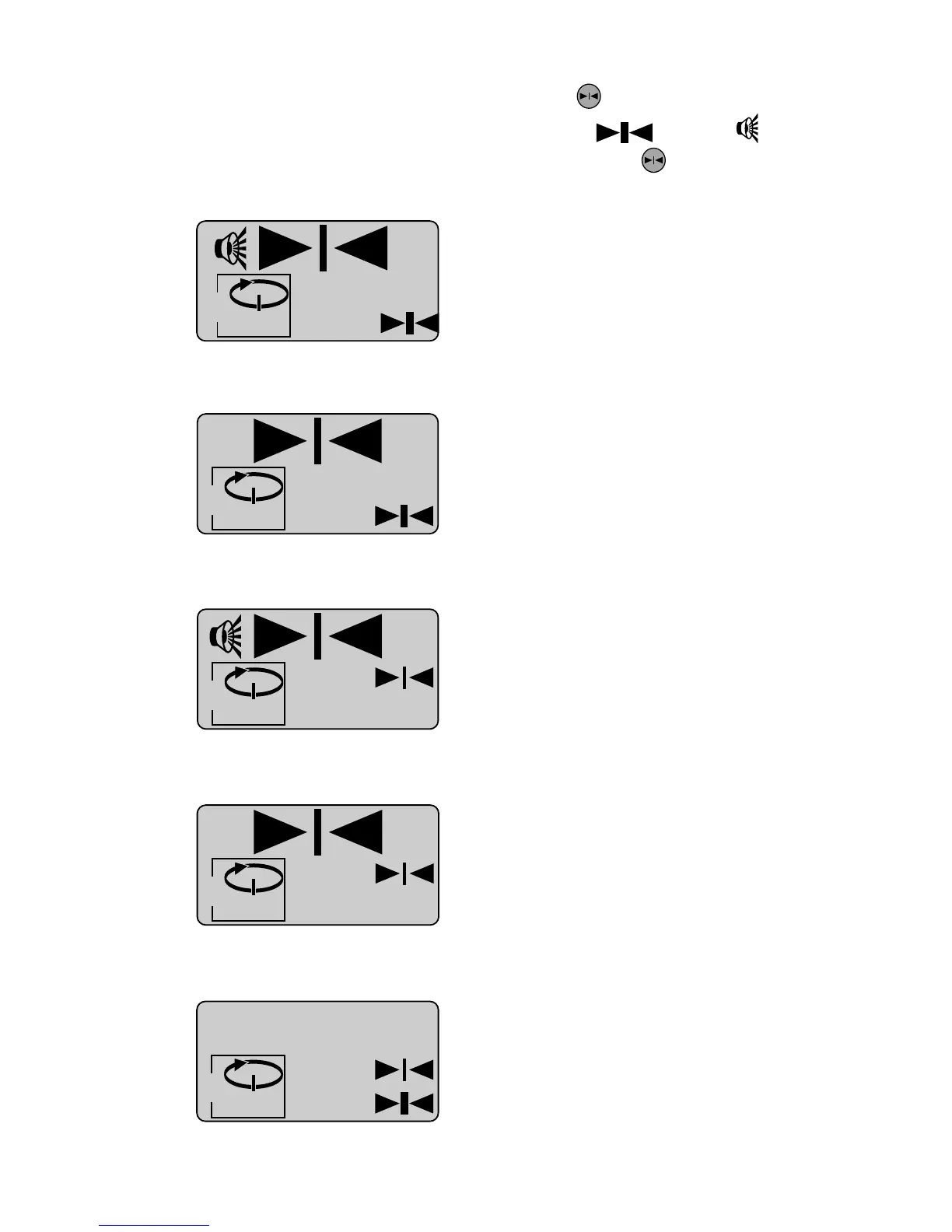
Beeper on, Detector on, Coarse resolution
Level Laser, Spin mode
X
Beeper off, Detector on, Coarse resolution
Level Laser, Spin mode
X
Beeper on, Detector on, Fine resolution
Level Laser, Spin mode
X
Beeper off, Detector on, Fine resolution
Level Laser, Spin mode
X


 To Next Page