22:23
2
89%
E
E
1
- 04 -- 03 -
- 05 -- 06 -
Chapter 4 ALARM SETTING
1. Press the button one time, the indicator light on and
flickering along with hour display on the screen.
2. Press or button to set the hour, and press to confirm.
3. After step 2, minute display start flickering, press or button
to set the minute.
4. Press button to save setting or wait for another 10 seconds to
confirm automatically.
ALARM 2 setting same as ALARM 1
Alarm Ring Volume Setting
There is 7 volume levels, rotate left to turn up, right to turn down.
Adjust the volume for your preference.
When alarm goes off:
1. Press button to temporarily turn off alarm for 9
minutes. Alarm will ring every next 9 minutes.
2. Press button to turn off alarm for 24 hours.
The alarm indicator or is still on, which means
alarm is still activated and will ring after 24 hours.
3.When alarm is off, press or button to active the alarm,
setting will be the same as last time
Turn off Alarm
1. Hold press button to turn off alarm1 and alarm 2 permanently.
And corresponding indicator and will turn off.
2. Hold press button, just turn off alarm 1 permanently,
indicator will turn off.
3. Hold press button, just turn off alarm 2 permanently,
indicator will turn off.
4. If alarm 1 goes off, then hold press or , just turn off
alarm1 permanently, indicator will turn off .
5. If alarm 2 goes off, then hold press or , just turn
off alarm 2 permanently, indicator will turn off.
Cancel Alarm
Chapter 5 NIGHT LIGHT
Touch the button to turn on the night light.
Press the button again to turn off the night light
Chapter 6 DIMMER
Rotate the DIMMER button to adjust the display to a comfortable
brightness.
There is 7 dimmer levels, rotate left to turn up, right to turn down. Adjust
the brightness for your preference.
NOTE : Rotate the button to the end of right, LOW DIMMER indicator
display on screen, gone by 20 seconds. Time will be display again when
you rotate the button to the left.
Chapter 7 DST
Hold press button to switch DST function. DST indicator will turn
on.
Hold press button again to turn off DST function. DST indicator will
turn off.
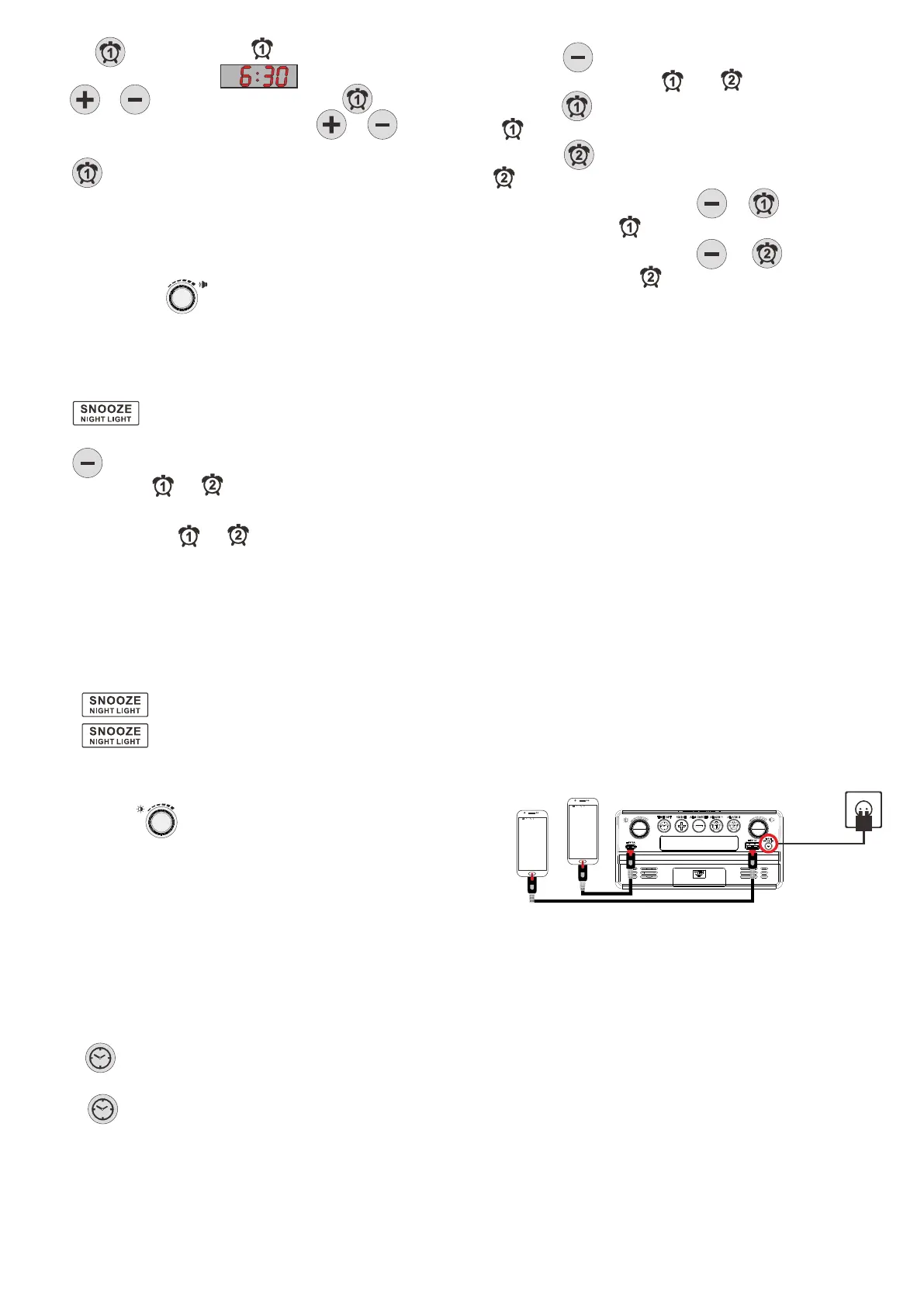
Chapter 8 USB & TYPE-C CHARGING
Plug charging cable into device such as phone or tablet.
Device can charge both your phone or tablet at the same time.
The maximum charge current is 1 Ampere.
22:23
2
89%
E
E
1


 To Previous Page
 Loading...