QUICK-INSTALLATION GUIDE
I M P O R TA N T
DOCUMENT
TECH SPECS
3200dpi optical gaming sensor
130 inches per second maximum speed
30G acceleration
1000Hz polling rate
16-bit data channel
2m USB cable
PACKAGE CONTAINS
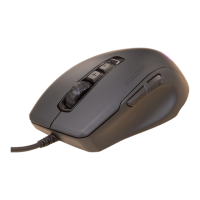
ROCCAT™ Kova[+]
Max Performance Gaming Mouse
Quick-Installation Guide
SYSTEM REQUIREMENTS
Windows® XP, Windows Vista® 32/64 bit,
Windows® 7 32/64 bit
USB 2.0 Port
Internet connection (for driver installation)
ORGANIZE YOUR DESKTOP WITH ROCCAT™ SDMS
MORE INFO ON ROCCAT.ORG/SDMS
SPECIFICATIONS
manual. This publication or parts of it may not be reproduced without the express consent of the publisher.
ROCCAT GmbH
Otto von Bahrenpark, Paul-Dessau-Str. 3G, 22761 Hamburg, Germany
Should you need assistance …
Our support team is ready to help with any technical questions.
Just send an e-mail to support@roccat.org. Or visit our website at:
ROCCAT.ORG/SUPPORT
ROCCAT.ORG/REGISTER
ROCCAT™ Driver & Easy-Shift[+]™
The Kova[+] is enhanced by a feature-rich
driver system. Along with award-winning
Macro Manager software – which includes
macro presets for gaming, multimedia and
offi ce apps – the Kova[+] also features the
innovative Easy-Shift[+]™ button that lets you
double the number of mouse functions.
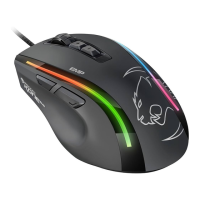
ROCCAT™ GripTech Side Areas
The ROCCAT™ Kova[+] features enlarged
GripTech side areas for left- and right-handers
alike. These stabilize mouse
handling and
boost grip effectiveness.
Along with the
side areas, the mouse's upper body surface
also features an advanced, non-slip coating.
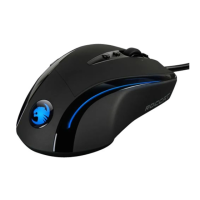
Customizable Lighting System
Use the driver to change colors or the light
effects quickly and easily. Get your Kova[+]
to light up in a variety of attractive colors.
The discreetly integrated LEDs on the sides
of the mouse cast an atmospheric aura over
the desktop, particularly when you activate
the “breathing” function.
CONGRATULATIONS!
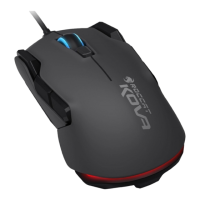
You’re holding the ROCCAT™ Kova[+] Max Performance Gaming Mouse – the tuned-up successor to the famous Kova Gaming Mouse. Wheth-
er you’re left- or right-handed, the Ergo-Stealth design of the Kova[+] fi ts the way you play. The Kova[+] also features an extensive driver
package that includes the world-famous Macro Manager software, macro presets and revolutionary Easy-Shift[+]™ technology.

 Need help?
 General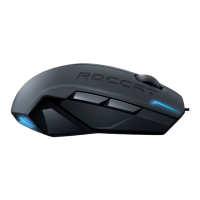

 To Next Page