Need help?
Do you have a question about the Roccat KONE XP and is the answer not in the manual?
Details about the included extra set of mouse feet.
Default button assignments without driver installation.
Button assignments when Easy-Shift[+] is active.
Steps to connect the mouse and install the latest driver for full software functionality.
Finalizing the installation to access all software features and configurations.
Instructions for responsible disposal of the product and batteries.
Information on how to contact customer support for technical assistance.
Details on user responsibilities for correct disposal and potential legal penalties.
How to reach the ROCCAT support team for assistance via website.
Information on obtaining technical support for the product.
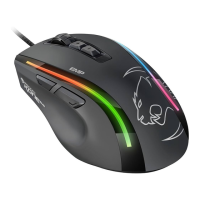
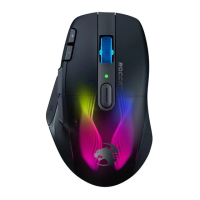
Detailed technical specifications of the ROCCAT Kone XP mouse.
Important safety instructions and intended use of the device.
Statements regarding compliance with EU and EFTA regulations.
Information on registering the product and joining the ROCCAT community.
Guidance on finding the product's serial number for support or registration.
 General
| Purpose | Gaming |
|---|---|
| Scroll type | Wheel |
| Buttons type | Pressed buttons |
| Buttons quantity | 15 |
| Device interface | - |
| Acceleration (max) | 50 G |
| Number of scroll wheels | 1 |
| Movement detection technology | Optical |
| Number of programmable buttons | 29 |
| Customizable movement resolution | Yes |
| Buttons durability (million clicks) | 100 |
| Form factor | Ambidextrous |
| Product color | White |
| Illumination color | Multi |
| Surface coloration | Pattern |
| Cable length | 1.8 m |
| Power source | Cable |
 Weight and Dimensions
| Depth | 126 mm |
|---|---|
| Width | 76 mm |
| Height | 40 mm |
| Weight | 104 g |

 To Next Page