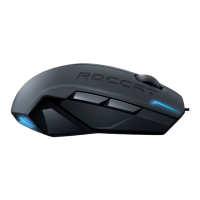
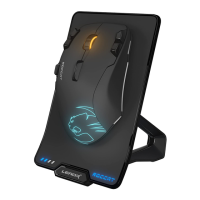
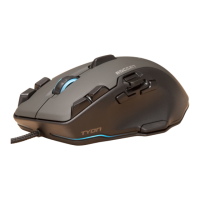
1. Plug the USB connector into any free USB port
on your PC or laptop.
2. Navigate to www.roccat.com/downloads
and download the latest driver.
3. Complete the installation to get access to
all software features and setup.
INSTRUCTIONS
EN
1. Enchufa el conector USB a un puerto USB libre
en tu PC o portátil.
2. Ve a www.roccat.com/downloads y descarga
el controlador más reciente.
3. Completa la instalación para acceder a todas
las funciones del software y configurarlo.
INSTRUCCIONES
ES
ANLEITUNG
DE
1. Schließe den USB-Stecker an einen beliebigen freien
USB-Port an deinem PC oder Laptop an.
2. Gehe auf www.roccat.com/downloads
und lade den neuesten Treiber herunter.
3. Schließe die Installation ab und erhalte Zugriff auf alle
Softwarefunktionen und das Setup.
1. Branchez l’embout USB dans n’importe
quel port USB de votre PC.
2. Téléchargez le tout dernier pilote sur
www.roccat.com/downloads.
3. Terminez l’installation pour accéder à toutes
les fonctionnalités du logiciel.
INSTRUCTIONS
FR
OHJEET
FI
1. Yhdistä USB-liitin mihin tahansa tietokoneesi
tai kannettavasi vapaista USB-porteista.
2. Mene osoitteeseen www.roccat.com/downloads
ja lataa uusimmat ajurit.
3. Suorita asennus, niin pääset käsiksi ohjelmiston
kaikkiin ominaisuuksiin ja asetuksiin.
1. USBコ ネ ク タ を 、ご 利 用 中 の PCの空いているUSBポートに
接 続します。
2. www.roccat.com/downloadsにアクセスし、最新のドライバ
ー を ダ ウン ロ ードしてくだ さ い 。
3. す べ て の ソ フ ト ウ ェ ア 機 能 と セ ッ ト ア ッ プ を 使 用 で き る よ う 、イ
ンストール を完了します。
使用説明
JP
1. Sæt USB-stikket i en ledig USB-port på din
stationære eller bærbare computer.
2. Gå til www.roccat.com/downloads,
og download den nyeste driver.
3. Gennemfør installationen for at få adgang til
all software-funktioner og -indstillinger.
INSTRUKTIONER
DK
1. USB커넥터를PC또는 노트북의 비어 있는USB포트에 연결
합니다.
2. www.roccat.com/downloads 으로 이동해 최신 버전의 드라이
버를 다운로드하세요.
3. 설치를 완료하면 모든 소프트웨어 기능 및 설정을 이용할 수 있
습니다.
지시사항지시사항
KO


 To Next Page