PC
S Y N
POWER
OR
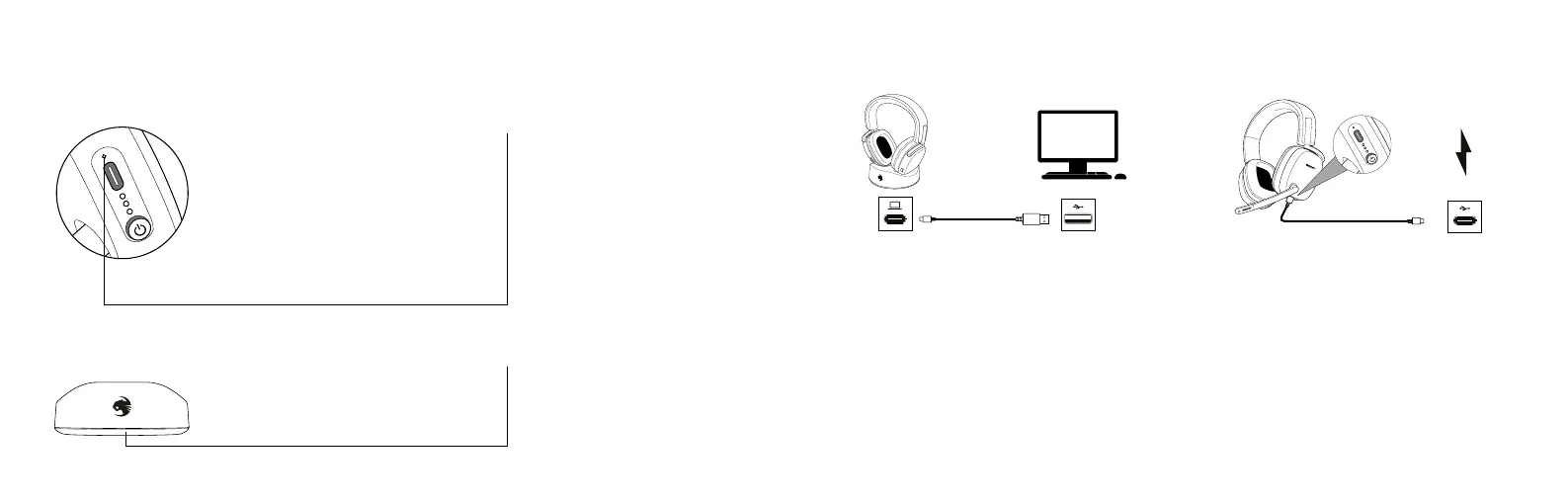
INDICADORES LED
LED INDICATIONS
Estado de conexón LED
Blanco fijo = auriculares conectados
Rojo intermitente = batería baja
Rojo fijo = auriculares cargando
Blanco intermitente = auriculares encendidos/
batería totalmente cargada
Blanco con doble parpadeo = emparejando auriculares
LED azul parpadeante = Bluetooth encendido/
emparejando
LED azul fijo = Bluetooth emparejado
LED apagado = auriculares apagados/cargando/
batería totalmente cargada
* Cuando los auriculares estén apagados y cargándose, el indicador
LED de color rojo constante se apagará cuando la batería esté
totalmente cargada.
* When the headset is off and charging, the Solid
Red LED will turn off when the battery is full.
Estado de conexón LED
Blanco fijo = auriculares conectados
Blanco con doble parpadeo = emparejando auriculares
Rojo intermitente = micrófono silenciado
Connection Status LED
Solid White = Headset Connected
Pulsing Red = Low Battery
Solid Red = Headset Charging
Pulsing White = Headset On/Full Battery
Double Blink White = Headset Pairing
Blinking Blue LED = Bluetooth
®
On/
Pairing
Solid Blue LED = Bluetooth
®
Paired
LED OFF = Headset Off/Charging/Full
Battery
Connection Status LED
Solid White = Headset Connected
Double Blink White = Headset Pairing
Pulsing Red = Microphone Muted
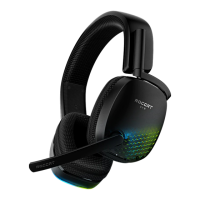
Los auriculares Syn
™
Max Air utilizan una batería recargable de más de 16 horas.
Asegúrate de cargarla con regularidad.
Los auriculares Syn™ Max Air utilizan el transmisor para realizar la carga por
contacto.
Conecta tu transmisor y asegúrate de que esté conectado a una fuente de
energía. (Para conocer los pasos de configuración inicial, consulta
“
Configuración
del transmisor/la base de carga“)
Luego, coloca tus auriculares en el transmisor y asegúrate de que estén conec-
tados a las clavijas de carga. Los auriculares Syn™ Max Air también se pueden
conectar directamente a una fuente de energía para cargarlos.
Almacenamiento de los auriculares
Carga siempre tus auriculares antes de almacenarlos por un periodo
prolongado (más de 3 meses). Nunca almacenes la unidad en temperaturas
mayores a 113°F/45°C
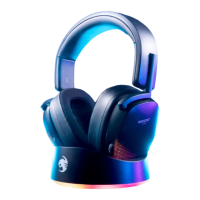
The Syn™ Max Air uses a 16+ hour rechargeable battery.
Make sure to charge it regularly.
The Syn™ Max Air uses the transmitter for contact charging.
Plug in your transmitter and make sure it is connected to a
power source.
(For initial setup, refer to
“
Transmitter/Charging Base Setup
”
)
Then, set your headset in the transmitter and make sure the
headset is connected to the charging pins. The Syn™ Max Air
can also be plugged directly into a power source for charging.
Headset Storage
Always charge your headset before storing it for any exten-
ded period of time (greater than 3 months). Never store
the unit in temperatures above 113°F/45°C.
CARGANDO | CHARGING


 To Next Page