
 Need help?
Do you have a question about the Roccat TORCH and is the answer not in the manual?
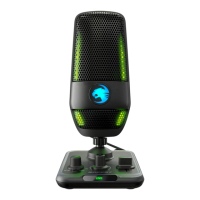
Details the main functionalities and design aspects of the ROCCAT Torch microphone.
Control to switch between different audio pickup patterns and power the device.
Primary knob for adjusting headphone volume and includes a mute function.
Adjusts microphone sensitivity for optimal input levels.
Details the physical ports and controls located on the rear of the microphone base.
Connectors for power and data transfer to PC and microphone.
Instructions for connecting and configuring the microphone with a PC.
Explanation of different sound capture patterns for various recording scenarios.
Focuses on sound directly in front, best for solo voice and streaming.
Adjusts headphone volume and includes an integrated mute switch.
How to use the gain slider to adjust output broadcast volume and monitor with RGB lighting.
Describes the methods for muting the microphone, contactless and switch-based.
 General
| Polar Pattern | Cardioid, Stereo, Whisper |
|---|---|
| Sample Rate | 48kHz |
| Frequency Response | 20Hz - 20kHz |
| Microphone Type | Condenser |
| Headphone Jack | 3.5mm |
| Gain Control | Yes |
| Connectivity | USB-A to USB-C |
| Lighting | RGB |
| Mute Function | Yes |
| Sensitivity | -38dB (0dB = 1V/Pa @ 1kHz) |

 To Next Page