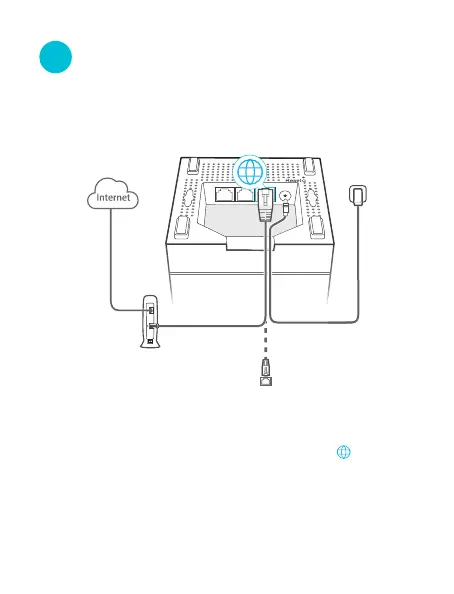
Connect the primary node
1. Power o your modem, and remove its battery (if any).
2. Use the included Ethernet cable to connect a LAN port
of your modem or the Ethernet jack to the (WAN/LAN)
port of any node. This node is your primary node.
4. Use the included power adapter to connect the primary
node to a power source. Its LED indicator lights solid
green. Wait about for 40 seconds. The system
completes startup when the LED indicator blinks green.
3. Reinstall the battery of your modem, and power it on.
* The rst node you set up functions as the primary node,
while the rest are referred to as the secondary nodes.
Ⅱ
Modem
Ethernet jack
Or



 To Next Page