3
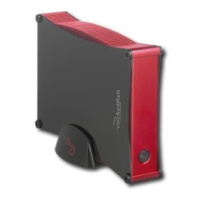
RF-AHD35
Safety information
• Always read these safety instructions and this User Guide
carefully. Keep this User Guide for future reference.
• Take precautions to avoid static electricity discharge or
short circuits when connecting this enclosure to your
computer.
• Do not use this enclosure close to water, rain, or high
humidity.
• Do not use or store this enclosure in damp locations.
Liquid entering this enclosure may cause damage or lead
to fire or electric shock.
• Do not leave any metal objects inside the enclosure
when installing the hard drive.
• Do not place anything heavy on top of this enclosure.
• Do not drop or subject this enclosure to shock.
• Do not place this enclosure close to a source of strong
magnetic fields (such as a computer monitor, television,
radio, or speaker). Strong magnetic fields can affect the
reliability of data transfer to and from the enclosure’s
hard drive.
Features
• Multi-function storage solution for your computer.
• Supports SATA interface hard drive.
• Connects to a computer using either an eSATA or USB 2.0
host port.
• Supports Serial ATA II transfer rate of 3.0 Gb/s.
• Two-slot card reader that supports SD, MMC, MS, MS
PRO, xD, Compact Flash (Type I / II), and IBM Microdrive.
• Two external USB 2.0 downstream ports.
• One-button backup to easily backup, restore, and
synchronize data between your Windows PC and the
enclosure in USB mode.
RF-AHD35_09-0774_MAN_ENG_V3.fm Page 3 Friday, September 25, 2009 6:51 AM



 To Next Page