EasyManua.ls Logo

RocketFish RF-G1185 - User Manual

RocketFish RF-G1185
2 pages
Print Icon
To Next Page IconTo Next Page
Loading...
RF-G1185
QUICK SETUP GUIDE
Legal notices
HDMI, the HDMI Logo, and High-Denition Multimedia Interface are trademarks or registered
trademarks of HDMI Licensing LLC in the United States and other countries.
Dolby is a registered trademark of Dolby Laboratories.
DTS is a registered trademark & the DTS logos and Symbol are trademarks of DTS, Inc.
FCC
This equipment has been tested and found to comply with the limits for a Class B digital device,
pursuant to Part 15 of the FCC Rules. These limits are designed to provide reasonable
protection against harmful interference in a residential installation. This equipment generates,
uses, and can radiate radio frequency energy and, if not installed and used in accordance with
the instructions, maybe cause harmful interference to radio communications. However, there is
no guarantee that interference will not occur in a particular installation. If this equipment does
cause harmful interference to radio or television reception, which can be determined by
turning the equipment o and on, the user is encouraged to try to correct the interference by
one or more of the following measures:
• Reorient or relocate the receiving antenna.
• Increase the separation between the equipment and receiver.
• Connect the equipment into an outlet on a circuit dierent form that to which the receiver is
connected.
• Consult the dealer or an experienced radio/TV technician for help.
FCC Warning: Changes or modications not expressly approved by the party responsible for
compliance could void the user’s authority to operate the equipment.
1-year limited warranty
Visit www.rocketshproducts.com for details.
We’re here for you
www.rocketshproducts.com
For customer service, call:
800-620-2790 (U.S./Canada markets)
© 2011 BBY Solutions, Inc., All Rights Reserved.
Distributed by Best Buy Purchasing, LLC 7601 Penn Avenue South, Richeld, MN
USA
55423-3645
ROCKETFISH is a trademark of BBY Solutions, Inc. All other products and brand
names are trademarks of their respective owners.
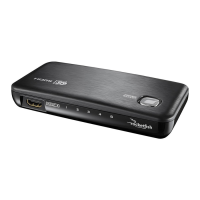
4-PORT SELECTOR
Connects up to 4 HDMI® sources to 1 HDMI® input
ENGLISH 11-0628
RF-G1185_11-0628_QSG_V1.eps 1 7/25/2011 2:00:40 PMRF-G1185_11-0628_QSG_V1.eps 1 7/25/2011 2:00:40 PM

Other manuals for RocketFish RF-G1185

Questions and Answers

  • L
    Larry BradyJul 26, 2025
    What to do if there is no video and/or audio from RocketFish RF-G1185?
    • S
      Shannon BirdJul 26, 2025
      If you're not getting any video or audio from your RocketFish Switch, first, ensure your switcher is plugged in and turned on. Check that your TV or projector is set to the correct input for the switcher. Make sure all HDMI cables are securely connected and not damaged, and that you're using high-speed HDMI cables. Also, verify that the audio and video formats are supported by your devices. If using a DVD, ensure it's an original. Lastly, try unplugging the switcher's AC adapter and plugging it back in. The issue may also be due to HDCP copy protection.
  • T
    Timothy SimmonsAug 5, 2025
    How to fix RocketFish RF-G1185 when LED are not on or lit?
    • H
      hgarrettAug 5, 2025
      If the LEDs on your RocketFish Switch aren't on or lit, start by ensuring the switcher is plugged in and turned on. Also, check that all devices connected to the switcher are plugged in and powered on. Finally, verify that all cables are securely connected to both the device and the switcher.
  • S
    Stacey BrownAug 15, 2025
    Why does the RocketFish RF-G1185 Switch video have some noise?
    • S
      Samantha MooreAug 15, 2025
      If your RocketFish Switch video has some noise, first, ensure that you are using high-speed HDMI cables for all connections and that the HDMI cables are not broken and they are securely connected. Also, make sure that the TV or projector can support the same video resolution that the source devices are using.

Summary

Product Overview and Legal Information

FCC Compliance and Warnings

Details FCC rules for digital devices, potential interference, and corrective measures.

1-Year Limited Warranty and Support

Information on the product's limited warranty, customer service contact, and company details.

Product Functionality and Operation

Key Features and Specifications

Lists features like Full HD, auto switching, audio support, HDCP, 3D, and gold plated connectors.

Setup and Connection Guide

Instructions for connecting sources, HDTV, and power adapter for initial setup.

Selector Usage Instructions

Explains how to power on, switch inputs manually or automatically, and troubleshoot input selection.

RocketFish RF-G1185 Specifications

General IconGeneral
BrandRocketFish
ModelRF-G1185
CategorySwitch
LanguageEnglish

Related product manuals
