16
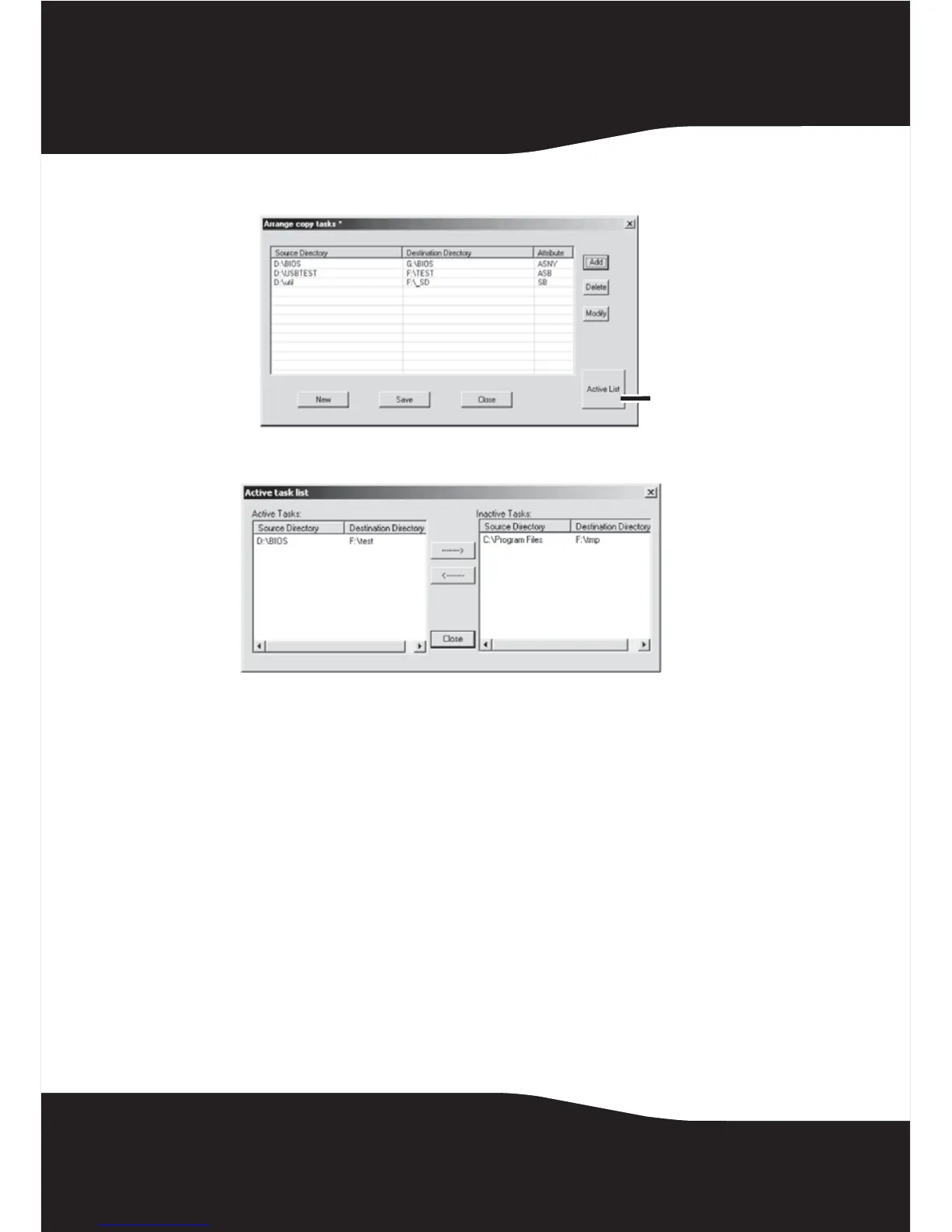
The Arrange Copy Tasks window opens.
2 Click the Active List button. The Active task list window opens.
3 The windows shows an Active Tasks list and an Inactive Tasks list. Move
the tasks from one list to the other by highlighting the task and pressing
the left or right arrow buttons to move it.
4 Click Close when you have configured the list as you require.
Active List
button


 To Next Page